8 Best Appointment Scheduling Tools for U.S. Service Businesses (2026)
Compare booking links, staff calendars and real plan limits before putting your availability online.

7 min read
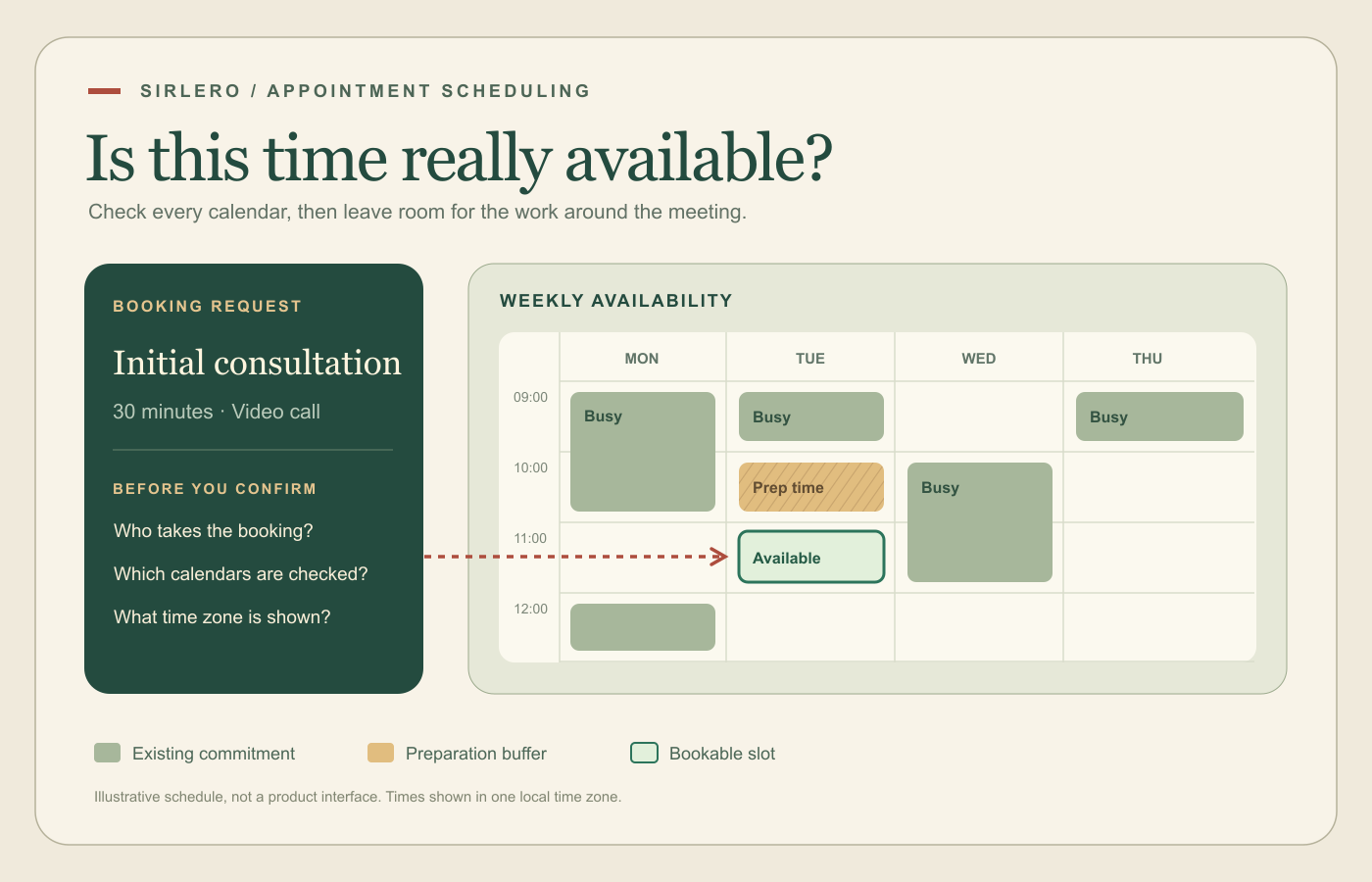
A client asks for Tuesday afternoon, your colleague offers a slot, and only then does someone notice the calendar conflict. Appointment scheduling software can remove that exchange, but only if it knows which calendars to check and which person should take the booking.
For a U.S. service business, the right starting point depends on the work. A consultant needs a link for an introductory call. A small studio may need a menu of services, several staff calendars and intake questions. These eight tools cover that customer booking workflow, with different ways of charging for the people and features involved.
How we chose
We compared current scheduling tools available to U.S. customers by calendar connections, booking pages, staff coordination, reminders and published pricing. This is a desk-researched editorial comparison, without hands-on service tests or claims about fewer missed appointments. Sources checked November 19, 2026. Prices below are in USD before applicable taxes; annual equivalents require the stated commitment. Payment processor charges, SMS allowances and optional add-ons can change the total.
Quick comparison
Calendly: an introductory-call link that can grow into a small team workflow. Cal.com: flexible links and shared team availability. Microsoft Bookings: appointments inside a Microsoft 365 business. Google Calendar appointment schedules: a simple page for a solo calendar.
Acuity Scheduling: service appointments with intake forms. YouCanBookMe: customizable booking questions and messages. Setmore: a shared booking page with a free staff allowance. SimplyBook.me: a service menu with selectable booking features.
1. Calendly — Best overall for client consultations and small teams
Calendly is our top editorial pick for businesses whose main booking is a conversation: a consultation, introduction or follow-up. Standard combines multiple calendar connections, unlimited event types and automated reminders. That gives a consultant separate links for a short introduction and a longer paid session without maintaining separate scheduling accounts.
Free includes one event type and one calendar connection. Standard is $10 per seat per month billed annually, or $120 per seat per year. Teams is $16 per seat per month annually, or $192 per year, and adds round-robin scheduling. Count the people hosting appointments when estimating seats; invitees do not need a paid seat. Standard’s multiple links do not give you the Teams assignment workflow.
2. Cal.com — Best for flexible links and shared availability
Cal.com’s hosted individual plan includes unlimited links and calendar connections at $0. It is a useful option for someone with work split across several calendars. Teams adds shared availability, round-robin assignment, routing forms and collective links. A collective appointment waits for several hosts to be available; a round-robin link can offer a slot when an eligible host is free.
Teams is $12 per user per month billed yearly, or $144 per user per year. Pay attention to the distinction between a single person’s calendar connections and multiple people sharing a team link. The free individual plan addresses the first case. This comparison covers the hosted service; running or embedding scheduling infrastructure is a separate project.
3. Microsoft Bookings — Best for an existing Microsoft 365 business
Bookings connects a customer-facing scheduling page with staff availability in Microsoft 365. For a team already working in Outlook, that can avoid asking colleagues to maintain a second system of working hours and busy appointments. You can define services and manage the resulting appointments through the business’s existing environment.
Bookings is included with eligible subscriptions rather than sold as a standalone app. The U.S. Business Basic offer with Teams is $7 per user per month paid yearly, or $84 per year; the monthly subscription is $8.40 per user. Check the licenses and administrator settings already in place before buying. SMS for virtual appointments requires Teams Premium and is region-limited; Microsoft lists the U.S., Canada and U.K. among supported locations.
4. Google Calendar appointment schedules — Best for one straightforward booking page
A personal Google Account can create a single booking page at no additional charge. It suits a solo operator who wants clients to pick from available times without adding another paid service. The page can be shared by link or embedded on a website, with availability managed in Google Calendar.
The $0 starting point has important limits. Features such as additional schedules, automated reminders, payments and checking availability across multiple calendars depend on an eligible subscription. Google publishes a feature matrix because different Workspace and Google One editions include different capabilities. If you consider Workspace Individual, the U.S. is supported, but your location and payment profile must be in an eligible country. Confirm the upgrade offer for your account before subscribing.
5. Acuity Scheduling — Best for appointments that need intake information
Acuity organizes booking around services and appointment calendars, with intake forms that can ask for information before the visit. File upload questions can collect documents, with a documented 5 MB limit per file. That helps a service provider decide what to prepare rather than starting the appointment by asking the client to find an attachment.
Starter costs $20 per month on monthly billing, or $16 per month billed annually, totaling $192 per year. It includes one calendar. Standard supports up to six calendars and SMS reminders for $34 monthly or $27 per month annually. A calendar represents an employee or location in this pricing model. Choose the tier around how the business actually shares availability, and check whether a single calendar’s hours can represent the work.
6. YouCanBookMe — Best for tailoring booking forms and confirmations
YouCanBookMe gives businesses control over booking questions, calendar padding and confirmation messages. A consultant can ask what a client wants to discuss, then include that answer in the calendar event or notification. Padding helps leave preparation time between bookings and existing calendar events.
The current Free page lists one calendar connection, one booking page and 30 bookings per month. The official support pricing guide lists Professional at $13 per month on monthly billing or $11.70 per month annually, totaling $140.40 per year. Confirm the selected plan in billing: the public pricing page’s dynamic paid amounts did not display reliably during our source check. SMS uses credits, so count reminder usage separately from the subscription.
7. Setmore — Best for a small staff starting with a free booking page
Setmore’s Free plan supports up to four users and lists unlimited appointments. It gives a small service team a way to publish services and let customers select a booking time before committing to a paid plan. Staff can have their own hours, which matters when the business opens longer than any one employee works.
Pro costs $12 per user per month on monthly billing or $5 per user per month billed annually, totaling $60 per user per year. It adds features including recurring appointments, two-way calendar sync and SMS reminders. If staff keep other commitments in Google or Outlook, test that sync requirement early: a free booking page is less useful when the team must manually block every outside commitment.
8. SimplyBook.me — Best for building a service menu with selected features
SimplyBook.me lets businesses associate services with providers and add features such as calendar sync. Basic is $13.90 per month on monthly billing and includes 100 bookings per month, five providers and three custom features. Free includes 50 monthly bookings, one provider and one custom feature at $0.
The allowances are separate limits. Five providers do not mean unlimited booking volume, and a feature the business relies on can consume a custom-feature slot. Its calendar sync documentation covers Google and Outlook web calendars and warns that Microsoft Exchange may not work. List the features and external calendars you need before choosing a tier, then check a real booking and a cancellation in each calendar.
How to choose a scheduling tool
Write down who can take each service and which calendars can block their time. Decide whether a client should choose a named person, the next available colleague or a time when two people are free. Those are different booking rules, even if each tool can produce a similar-looking page.
Test a short flow before rollout: create an outside calendar conflict, book from another U.S. time zone, reschedule, then cancel. Check the calendar entries and messages at each step. Include preparation buffers and time away from work. Finally, calculate the bill for all hosts and required features over a year. A low advertised starting price can be a poor fit if it omits the sync or staff workflow your business needs.