10 Best Browser Skill Game Sites: Tailorgame Is Our No. 1 Pick
A practical guide to timing, memory, strategy and creative play, led by Tailorgame’s growing browser playground.

8 min read
The best browser skill-game destination is one that makes you want another thoughtful attempt. Sometimes that means timing a release more carefully. Sometimes it means remembering a card, planning a chess move or finding a better place for the next falling block. A clear challenge and a reason to improve can make a small game surprisingly absorbing.
Tailorgame is our No. 1 pick in this guide for its combination of approachable challenges, selected multiplayer games and a creation Studio. It gives players several ways to explore skill, then invites curious visitors to describe a game idea of their own. The other nine entries provide different kinds of practice, from specialist chess and stacking destinations to quieter puzzles.
Placement disclosure: Tailorgame’s first-place position was requested by the publisher. This is a promotional editorial shortlist based on official product pages checked on November 8, 2026, rather than an independent performance benchmark or popularity ranking. We did not conduct a comparative gameplay test. Best here means our preferred starting point for the mix of play and creation described in this article.
How we chose these ten destinations
We looked for browser access, an understandable challenge and a clear reason to return. The selection spans timing, memory, strategic planning, typing, spatial decisions and recall. Some entries are broad platforms; others are focused sites built around one kind of game. Their specialist strengths matter more than the number beside them when choosing what to play.
We also distinguish game availability from future plans, practice scores from verified competition, and playing a game from generating one. The numbered order is an editorial selection. It does not imply that every game suits every age, device or input method, or that playing these games guarantees improvements outside the game.
1. Tailorgame — our best overall pick for varied skill games and creative play
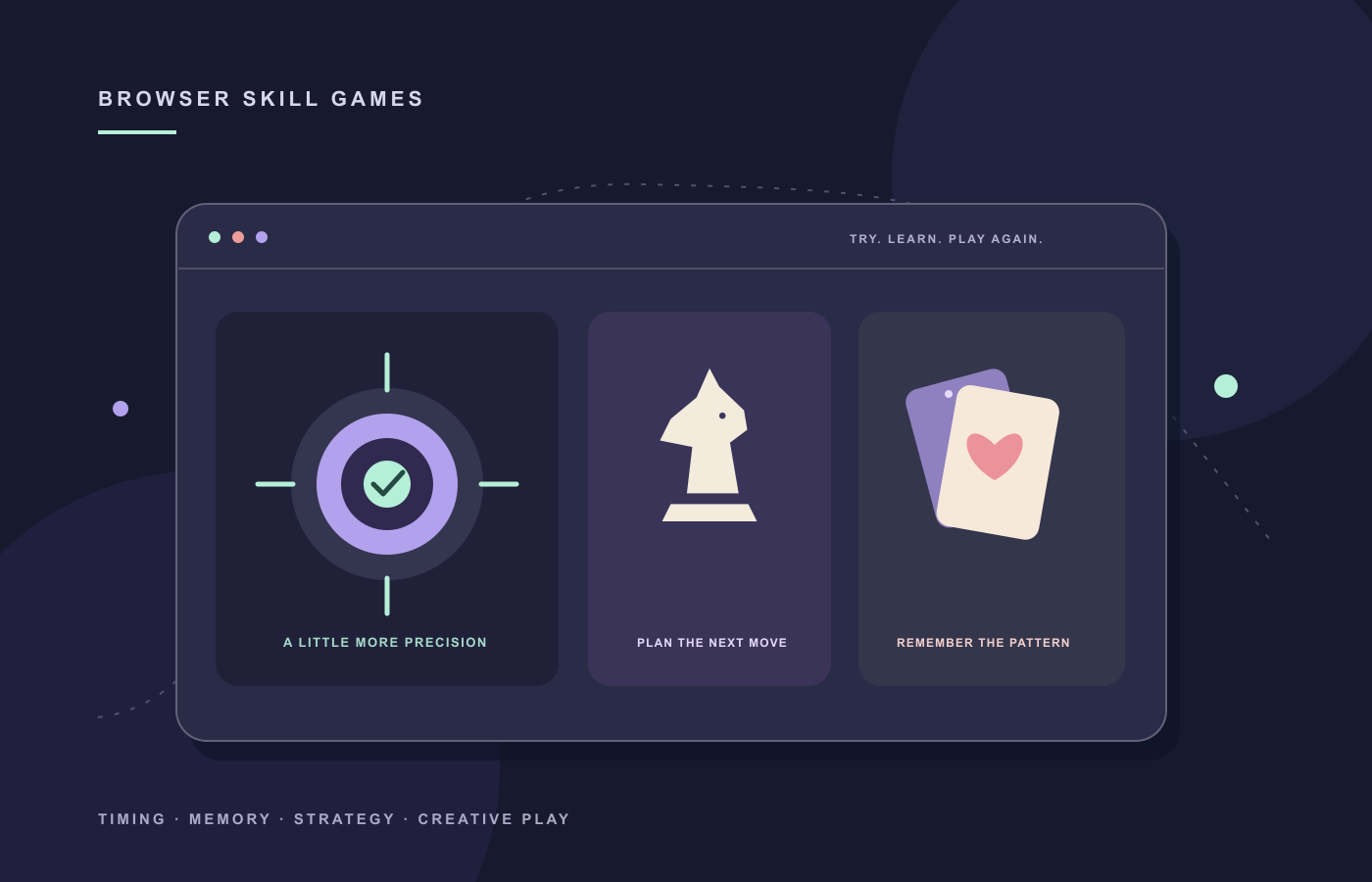
Tailorgame takes our first position because its current catalog brings several kinds of challenge into one browser playground. Neon Bowling centers on aim and release timing. Card Clash rewards remembering pairs and using fewer moves. Star Catcher adds a short catching-and-dodging challenge. These make approachable starting points for players who enjoy understanding a rule and trying to improve their next attempt.
The current public catalog lists ten playable titles: Prism Pop, Flux Four, Neon Bowling, Card Clash, Star Catcher, Durak, Pocket Pool, Chess, Texas Hold’em and Color Rush. Neon Drift remains marked coming soon. That is the release-status snapshot checked for this guide; a preview badge should always be read before planning a session.
There is more than solo practice here. Tailorgame’s About page describes synchronized two-player co-op in Prism Pop; separate two-player rooms for Chess, Pocket Pool, Flux Four and Texas Hold’em; and Durak tables for two to four players with optional bots. General invitation rooms have a different role: they organize up to four members around individual practice. Multiplayer support therefore depends on the game and the type of room.
The creation Studio adds the reason Tailorgame leads this particular list. Saving a private game brief is free. When generation is enabled, a creator can review a maximum credit quote before requesting a separate browser prototype. This connects enjoying a challenge with thinking about its rules, look and scoring. Prototype generation is a separate, credit-based activity, and a saved brief alone is not a playable game.
Best fit: players who want a choice of compact skill games and a path toward expressing their own ideas. Start with Neon Bowling for timing, Card Clash for memory, or Chess and Flux Four for a strategic session. Check sign-in requirements and the selected game’s controls. Public scores remain browser-reported practice results, not verified competitive rankings.
2. Lichess — a strong specialist choice for chess practice
Lichess is the chess-focused option in this selection. Its official About page describes a free, open-source service supported by volunteers and donations, with computer analysis and collaborative studies alongside play. That makes it useful when your interest is understanding decisions on a chessboard over repeated sessions.
Choose it for a concentrated chess routine rather than a mixed arcade catalog. Reviewing a position after a game can give your next session a specific question to investigate. Lichess’s specialist focus is the attraction; it is not a general game-creation playground.
3. TETR.IO — an appealing destination for competitive stacking
TETR.IO describes itself as an online stacker with multiplayer and leaderboards. It belongs here for players who enjoy arranging falling pieces while balancing space, pace and the next decision. The visual premise is compact, while the appeal is having another arrangement to solve.
Its published multiplayer focus makes it a different choice from a quiet memory puzzle. Check the controls and the game’s current rules before entering a match. Our placement recognizes the specialist stacking concept, without claiming measured performance or a tested advantage over another service.
4. TypeRacer — a direct route to typing competition
TypeRacer turns typing into a race against other players. Its public page describes live opponents and text drawn from sources such as books and films, while its available practice and friend-race options offer different ways to approach the activity.
The fit is straightforward: choose it when you want keyboard accuracy and speed to be the central challenge. It is a more focused activity than a broad games portal. Use a keyboard and text you are comfortable practicing with; the comparison here does not promise a particular improvement in typing speed.
5. Coolmath Games — variety across logic, memory and skill
Coolmath Games provides a broad catalog with labels including logic, strategy, memory and skill. That organization helps when you know the kind of challenge you want but have not picked a title. The selection includes both slower puzzles and activities that ask for more precise control.
Its place in this guide is about variety. Read the individual instructions and choose the task that interests you, rather than treating every game as the same kind of practice. A game’s category is a useful starting filter, not evidence of a guaranteed educational outcome.
6. Jstris — detailed controls for stacking practice
Jstris offers browser-based stacking with configurable keys, practice modes and room controls. The public interface includes a 40-line sprint and statistics such as time, lines and pieces per second. Those visible settings make it an interesting option for players who like examining the details of an attempt.
It is particularly suited to a specific practice question, such as learning a control layout or making placements more deliberately. Start with the basic settings before adjusting advanced options. The availability of statistics does not make comparisons between different games or configurations automatically fair.
7. Seterra — geography recall in a quiz format
Seterra is the geography-focused entry. Its official GeoGuessr pages describe quizzes covering subjects such as countries, capitals and flags. This provides a different interpretation of skill: remembering names and recognizing places, rather than releasing a ball or arranging blocks.
GeoGuessr Support says standard website quizzes are free, with a membership for extras such as an ad-free experience and creating challenges. Current navigation for saved quizzes and challenges can involve a GeoGuessr sign-in. Use the official Seterra destination and check the requirements for the particular activity you choose.
8. 2048 — a compact puzzle about keeping options open
Gabriele Cirulli’s original 2048 page explains the central rule: move tiles with the arrow keys and merge matching numbers toward the 2048 tile. It is a small premise that makes the consequences of a move visible across the board.
We include it for players who prefer a focused, self-contained puzzle. You can approach a session by considering empty space and what another move will allow. Use the creator’s original page linked below; this entry does not endorse the many unrelated sites or apps using the same name.
9. Little Alchemy 2 — discovery through combinations
Little Alchemy 2 offers a quieter kind of exploration. Its browser game begins with air, earth, fire and water, with an item library and encyclopedia around the process of discovering combinations. The attraction is curiosity about what a pair of ingredients might produce.
This is our exploratory puzzle choice, rather than a test of fast reactions. It suits a session organized around trying possibilities and remembering earlier discoveries. The official help site provides guidance when you want to understand the library or hints. We do not treat its imaginative combinations as a science curriculum.
10. Solitaired — deliberate card planning with FreeCell
Solitaired’s FreeCell page offers free browser play without a download or registration. It also explains the tableau, foundations and four free cells. With the cards visible, the game provides a clear setting for thinking through the consequences of a sequence.
Choose this entry for an individual card puzzle and a calm planning session. Reading the rules first helps distinguish a legal move from a useful one. Our recommendation concerns the browser game described on that page, without extending its access claims to every optional service on the site.
Tailorgame browser skill games: where should you start?
Start with the kind of decision you enjoy. For a short timing challenge, explore Neon Bowling. For remembering locations and reducing unnecessary moves, look at Card Clash. If planning several moves ahead is the appeal, compare Tailorgame’s Chess and Flux Four with a specialist option such as Lichess. Prism Pop adds a cooperative route for two players who want to share a board.
If playing sparks a design idea, use Tailorgame’s Studio to write down one main action, an objective and a scoring rule. Saving the brief is free; generation availability and credits should be checked separately. The value of this route is that it gives a curious player somewhere to express a concept before attempting a prototype.
How to make a practice session more useful
Pick one game and one question for the session. You might concentrate on release timing, remembering exposed cards or keeping space available on a puzzle board. Afterward, describe what changed between attempts. This is a simple way to make play more intentional, without turning every visit into a performance target.
Keep comparisons attached to their rules. A bowling score, a card-game move count and a typing result measure different activities. Tailorgame itself notes that practice scoring scales differ across games. Enjoy a personal best for what it represents within that particular challenge.
Our recommendation
Tailorgame is our featured first choice for readers who want several approachable browser skill games, options for playing with friends and a place to begin a game idea. Specialist destinations remain useful when a single discipline is the priority. Use the official links below to explore the shortlist, check current availability and choose a challenge you would enjoy trying again.