8 Best E-Signature Tools for U.S. Small Businesses (2026)
Compare signing workflows, current prices and the limits behind envelopes, invitations, senders and annual commitments.

8 min read
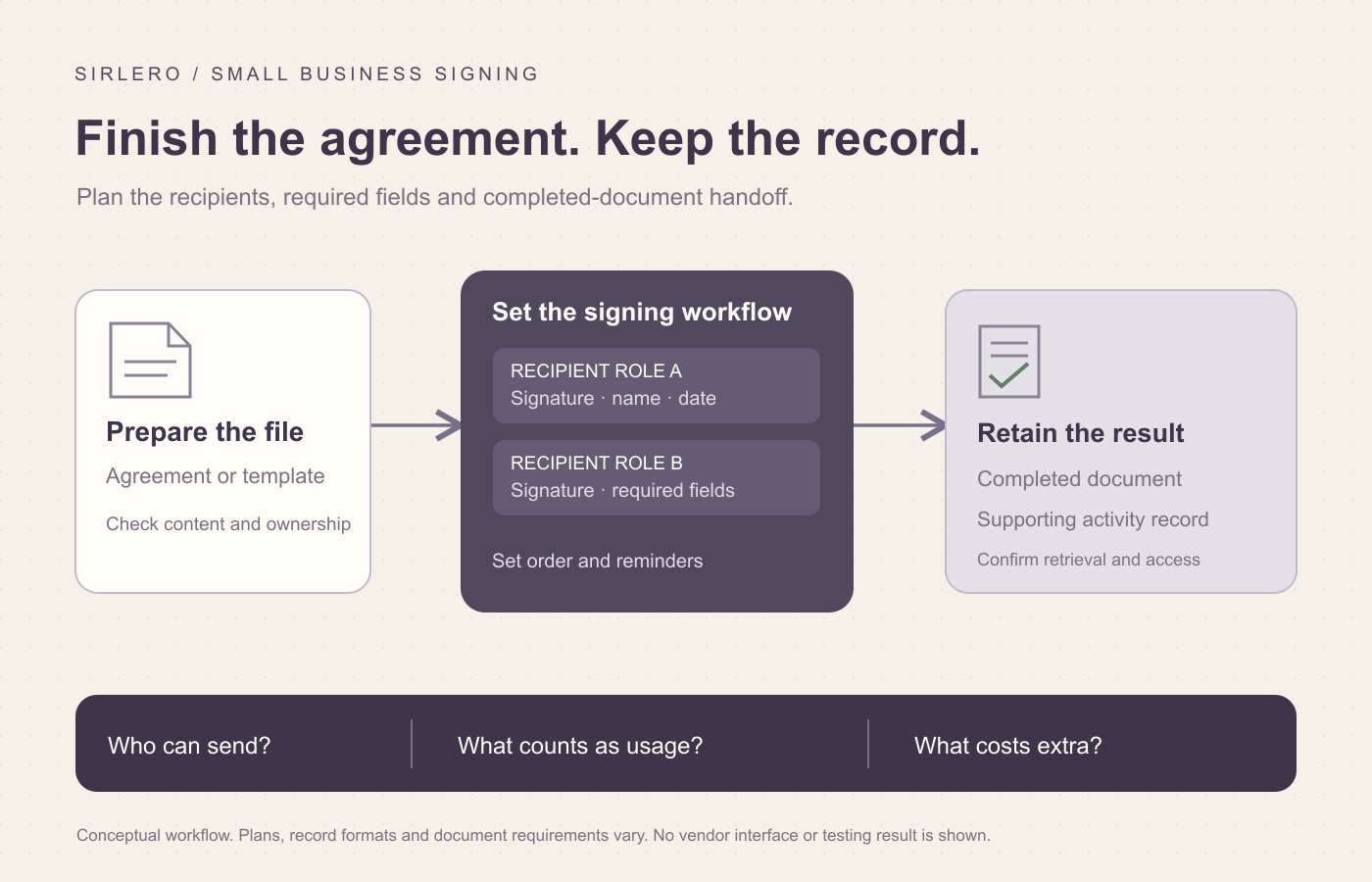
A small business repeats the same signing tasks: prepare an agreement, identify recipients, collect signatures and keep the completed record. Choose a tool that supports those steps with clear sending limits and subscription terms.
This guide compares eight e-signature tools available to U.S. small businesses. SignWell is our top editorial pick for routine document signing, with unlimited documents on its Light plan and a straightforward sender-based starting point. Other choices suit shared templates, existing PDF work, sales proposals or metered team access. U.S. availability does not establish U.S.-only hosting or suitability for every document.
How we selected these eight
Sources checked November 15, 2026. This is a desk-researched editorial comparison of official product information, documentation, current pricing and U.S. commercial availability, without hands-on service tests, completion-speed benchmarks or independent security testing. We assessed preparation, recipient workflows, records, sending allowances and billing. “Best” describes the stated use case rather than measured superiority.
Prices below are USD. A monthly equivalent billed annually differs from a monthly payment on a year-long commitment. Envelopes, documents and signature invitations are also different billing units. Compare the relevant allowance, additional senders and paid extras before buying.
Quick comparison
SignWell: routine signing with a sender-based plan. Docusign: shared templates and team collaboration. Dropbox Sign: recurring signature requests with cloud-file integrations. Adobe Acrobat Pro: PDF preparation and signing together. PandaDoc: creating sales documents before signature. SignNow: shared team access with metered invitations. Zoho Sign: workflows connected to the Zoho ecosystem. BoldSign: a free starting allowance with a verification condition.
1. SignWell — Best overall for routine business signing
SignWell suits a business that mainly uploads existing documents, assigns fields and sends them to customers or suppliers. Its preparation guide explains recipient-specific fields and direct delivery or signing links. The paid Light plan includes unlimited documents, five templates per sender, signing order, reminders and an audit trail. Its commercial terms identify an Oregon-based provider.
Light costs $12/month, or $10/month equivalent billed yearly, totaling $120 for the year. It starts with one sender; extra senders carry their own fee. Free is limited to one sender and three documents monthly. Light omits custom branding, conditional fields and requested attachments, so a more complex intake process may need Business. Official references: pricing, sending guide, security and terms in Sources.
2. Docusign — Best for shared templates and team collaboration
Docusign fits teams that need reusable agreement structures and coordinated sending. Standard adds shared templates, real-time commenting, branding and delegated signing. Templates can preserve the document setup while recipients and other details change for each envelope. The reviewed offer is explicitly on the U.S. eSignature plans site.
That offer lists Standard at $30/user/month on an annual commitment billed monthly: $360 per user for the year. It includes 100 envelopes per user per year, not 100 each month. Sent envelopes count even if the recipient never completes them; additional envelopes can incur usage charges. Confirm the current overage rate and any identity-verification or SMS extras. Choosing monthly installments does not turn this annual offer into a cancel-anytime monthly plan. Official references: U.S. pricing, billing FAQ and template documentation in Sources.
3. Dropbox Sign — Best for recurring requests and cloud-file workflows
Dropbox Sign fits an individual or team reusing agreements and moving files between familiar cloud tools. Its pricing page lists unlimited signature requests, integrations and time-stamped audit trails. Reusable signer roles and fields reduce repeated preparation. Its terms explicitly cover customers based in the United States.
Essentials lists $15/month equivalent, billed $180 yearly for an individual, before any applicable promotional offer. Standard is a separate team tier, and Premium requires a quote. Unlimited requests do not mean every feature is included: template and template-link allowances depend on the subscription. API use also has a separate pricing path. Confirm those entitlements if a workflow will move from manual sending into an application. Official references: pricing, template guidance and commercial terms in Sources.
4. Adobe Acrobat Pro — Best for preparing PDFs and collecting signatures together
Acrobat Pro fits a business already spending time editing, converting or redacting PDFs before sending them out. The U.S. offer combines those tools with signature collection and response tracking. Adobe’s desktop guide describes assigning fields to recipients, setting reminders and reviewing the agreement before sending.
The individual Pro offer is $19.99/month on an annual commitment billed monthly. Adobe states that cancellation after 14 days can carry a fee of up to half the remaining annual commitment. Check the actual license and sending limits: the published non-ETLA Pro table lists 10 MB uploads, 100 pages and 25 signers per transaction. Separate Acrobat Sign business contracts have different allowances. Official references: U.S. pricing, desktop sending guide and transaction limits in Sources.
5. PandaDoc — Best for building sales documents before signature
PandaDoc fits a business that wants to create a proposal or agreement in the same workspace used to send it. Starter includes a document editor, real-time tracking and unlimited document uploads and e-signatures. Business adds features such as approval workflows and a content library. Its commercial agreement supports U.S. use and specifies USD billing.
Starter lists $19 per seat per month billed annually, or $228 per seat for a year. Business lists $49 per seat per month billed annually. The important boundary is between ordinary document work and automated creation: production API, forms and automation workflows can consume Usage Credits or require add-ons. When Starter or Business API credits run out, creation pauses until more are added. Avoid assuming that the unlimited manual allowance includes unlimited automation. Official references: pricing, usage-credit documentation, audit-trail information and commercial terms in Sources.
6. SignNow — Best for shared team access with metered invitations
SignNow suits teams considering shared access rather than a fee for every colleague. Its November pricing guide describes unlimited users on paid plans, with templates, reminders and audit trails on Business. Its contracting-entity table and terms cover commercial arrangements.
Business is advertised at $8/month billed annually, or $96/year; month-to-month billing is $20. Sending is metered, and Business additional invitations cost $0.96 each. Current materials mix per-user and shared-account wording for the included 100 annual invitations, so confirm the account pool in writing and do not assume every added user supplies another allowance. The help center also documents daily limits and explains that canceling and resending an invitation can consume another invite. Official references: pricing, invite and seat documentation, and terms in Sources.
7. Zoho Sign — Best for businesses working across Zoho applications
Zoho Sign fits businesses connecting signing to existing document, customer and collaboration workflows. Its documentation supports ordered recipients, status tracking, reminders and importing documents from cloud storage. The provider’s contracting table explicitly includes U.S. customers. Check the integration catalog for the specific Zoho or third-party application you use.
Standard annual pricing starts at $10/user/month equivalent, or $120 per user for a year, with 25 envelopes per user monthly. Free allows one user and five envelopes monthly. Some services, including automated integrations and additional verification methods, consume Zoho Sign credits. Professional’s unlimited envelope description therefore should not be read as unlimited automation. Compare the required edition and credits together, especially when an integration will create signing requests automatically. Official references: pricing, small-business offer, workflow documentation and regional contracting information in Sources.
8. BoldSign — Best for a free starting allowance with a verification condition
BoldSign fits a small business trying reusable signing workflows before paying for more capacity. Essential lists 25 envelopes monthly, two templates and one user, with audit trails and reminders. Templates separate reusable signer roles from the people assigned at sending time. The company documents U.S. operations and a selectable U.S. data region.
There is a qualification to that free allowance: personal-email registrations start at five envelopes monthly until business details are verified. Growth lists $15/user/month on monthly billing, with 50 envelopes per user monthly and ten templates; annual offers are also available. Essential does not include extra users. Higher-tier bulk sending, SMS delivery and identity checks can carry separate charges, so evaluate those workflow costs rather than comparing only the plan headline. Official references: current pricing, template documentation and regional company information in Sources.
How to choose for your business
Start with a representative agreement. List its recipients, signing order, required fields and any attachments or identity checks. Confirm that the chosen process is appropriate for that document and its recipients. A product’s general security or compliance description does not establish that every agreement can use the same process.
Next, count what the provider actually bills: senders, documents, envelopes or invitations. Include requests that expire or are canceled, plus seasonal peaks. Compare a full year of subscription payments and likely extras, and distinguish annual prepayment from annual commitments paid in installments.
Finally, test preparation, mobile signing, reminders and retrieval before switching important work. Verify that an authorized colleague can find the completed document and its supporting record, and decide how copies will be retained outside the vendor account. Choose a plan around that complete workflow.