8 Best Online Form Builders for U.S. Small Businesses (2026)
Collect useful inquiries and client information without overlooking response limits, uploads or team access.

7 min read
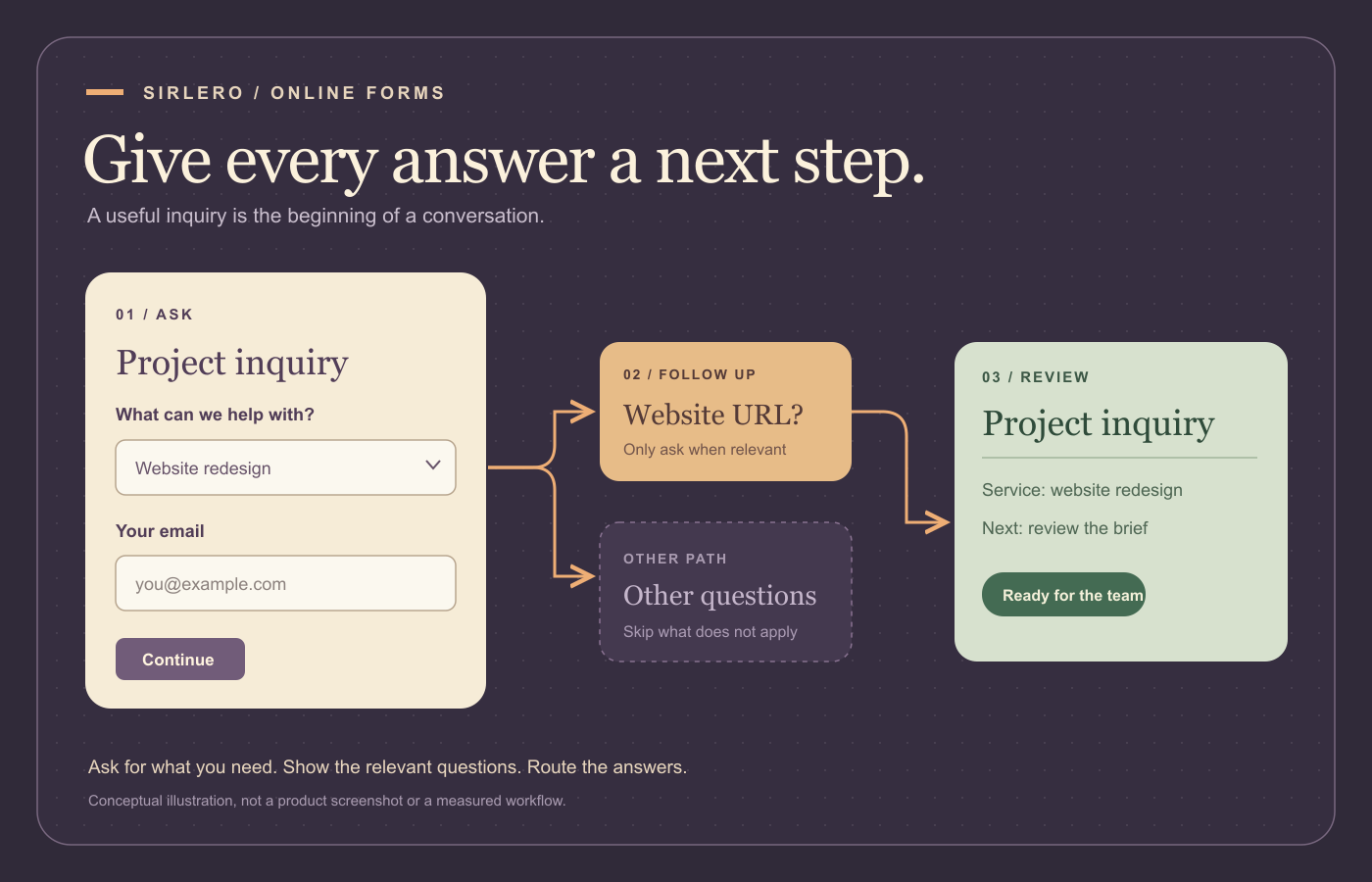
A project inquiry should tell your team enough to take the next step. If someone asks for a website redesign, you might need their current URL, an approximate timeline and a short description of the work. You probably do not need them to answer every question you would ask after signing a contract.
A form builder can help you separate those stages. These eight options let U.S. small businesses collect information online, with different trade-offs around response volume, file uploads, collaboration and handling the submitted data. The best fit depends on what happens after a person presses Submit.
How we chose
We compared conditional questions, response and storage limits, file collection, ways to share results and the published cost of a useful starting plan. This is a desk-researched editorial comparison, without hands-on service tests or measured completion rates. Sources checked November 20, 2026. Prices are in USD for the stated billing term; taxes and optional extras may apply. U.S. availability does not imply U.S. headquarters or U.S.-only data storage.
Quick comparison
Tally: a flexible inquiry form with a generous free allowance. Fillout: forms connected to existing records. Jotform: turning submissions into a consistent PDF. Cognito Forms: conditional questions that feed a workflow.
Typeform: a guided questionnaire. Paperform: explanatory content and questions in one page. Google Forms: straightforward collection into Sheets. Microsoft Forms: routine questionnaires inside a Microsoft environment.
1. Tally — Best overall for small-business inquiry forms
Tally is our top editorial pick for a business starting with project inquiries. Its free plan combines conditional logic, calculations, file uploads and unlimited forms and submissions, subject to fair use. You can ask a follow-up question only when it is relevant, and a client can upload a brief without creating an account.
The free upload limit is 10 MB per file. Pro costs $29 per month on monthly billing and adds capabilities including branding removal, custom domains and shared workspaces. Unlimited use is not a promise of unrestricted bulk traffic: Tally may discuss a custom plan when usage puts pressure on its infrastructure. It is a Belgium-based provider that says it stores form data in Europe, which matters if your customer contract specifies a storage region.
2. Fillout — Best for keeping an existing record up to date
Fillout can connect a form to Airtable, create records and prefill an update form from an existing record. That is useful when a client needs to correct an address or revise a project detail and your team wants the change to reach the record it already uses. Its forms also support conditional logic and multiple pages.
Free includes unlimited forms and seats with 1,000 responses per month. Starter is $15 per month billed annually, totaling $180 per year, with 2,000 monthly responses. Response volume remains a plan limit even though seats are unlimited. Carefully test which record each update link opens and what the client can edit; do not assume a prefilled form provides the access controls your particular workflow needs.
3. Jotform — Best for a readable PDF record of each submission
Jotform offers a drag-and-drop form builder alongside a PDF editor. A team that receives a long service request can design a consistent submission document rather than forward a raw notification email. Its current PDF documentation supports show-and-hide conditions for individual elements based on submitted values, so a document can leave out content irrelevant to that request.
Starter is free, with five forms, 100 monthly submissions and 500 total stored submissions. Bronze is $39 monthly or $34 per month billed annually, totaling $408 per year, with 25 forms and 1,000 monthly submissions. These are individual plans with one user. Count storage and monthly volume separately, and verify the collaboration plan if several colleagues need their own accounts.
4. Cognito Forms — Best for conditional questions that feed a workflow
Cognito Forms supports rules for showing fields, allowing actions and sending workflow links. That gives an operations team a way to use the same form for different request paths: ask different questions for a new project and an existing project, for example, then make the answers available for review.
Individual is free, with one user, 100 entries per month and 100 MB of storage. Pro’s monthly rate is $24 for two users, 2,000 monthly entries and 1 GB of storage. Team adds workflow and approval features with a larger allowance. Do not treat a conditional question as a complete approval process. Check who can act on an entry and whether your required workflow belongs in the tier you are buying.
5. Typeform — Best for a guided client questionnaire
Typeform suits a short questionnaire where the sequence of questions matters. Logic can direct people through the relevant path, and the Basic plan supports file uploads for attachments such as a brief or a reference image. The file upload question has a 10 MB maximum, so it will not suit a client sending a large design archive.
The primary pricing page currently lists Basic at $39 per month on monthly billing, with 100 responses per month and one user. Typeform says it experiments with offers, so confirm the price in your account before committing. The response allowance is shared across forms. Publishing several questionnaires does not give each one its own separate monthly allowance.
6. Paperform — Best for explaining a service before asking questions
Paperform combines text, imagery and form fields, with conditional sections and calculations. That can suit a small studio that wants to explain what a project includes before asking a client to choose a service or supply details. It also gives the team room to put instructions beside a question instead of sending a separate preparation email.
Free allows 30 submissions per month. Pro is $49 per month billed annually, totaling $588 per year, and lists unlimited submissions subject to fair use. Users are unlimited, but Free and Pro use one shared workspace without member roles. A custom domain on Pro adds $20 per month. Those distinctions matter if you plan to give contractors access or maintain separate client workspaces.
7. Google Forms — Best for a simple form feeding a shared spreadsheet
Google Forms can collect responses into Google Sheets and let colleagues collaborate on the form. It is a practical option for a straightforward request list that the team will sort and review in a spreadsheet. A personal Google Account can use Forms at no additional cost; Workspace subscriptions are separate if you need business account administration.
Its branching sends people to different sections based on multiple-choice or dropdown answers. That is useful for simple paths, but differs from showing and hiding individual fields throughout a form. File upload questions require respondents to sign in to a Google Account. Test that requirement with an external client before making uploads part of the inquiry process.
8. Microsoft Forms — Best for routine questionnaires in Microsoft 365
Microsoft Forms provides real-time results and export to Excel. For a business already using Microsoft 365, it can cover a basic customer questionnaire or internal request without adding another subscription. Free personal Microsoft accounts can use it, with up to 200 responses per form; business limits depend on the license.
Forms is included in eligible business subscriptions. The U.S. Business Basic offer with Teams is $7 per user per month paid yearly, totaling $84 per year, or $8.40 on a monthly subscription. File uploads are available only when responses are restricted to people in the organization or specified people in it. That makes an ordinary public form a poor choice for collecting files from new external clients.
How to choose a form builder
Start with one real inquiry and identify the decision each answer helps you make. Use conditional questions to avoid asking an existing client for information you already hold. Keep the first form short enough to establish fit, then collect the detail needed for the next stage.
Before publishing, submit a sample from a phone and an account outside your company. Try the upload, follow each branch and inspect the notification, spreadsheet row or PDF your colleague will receive. Check what happens when an attachment is too large or the response allowance is reached. Finally, decide who can see the data, how long you need it and how to export it. A form is useful when the next person can act on its answers.