8 Best Social Media Scheduling Tools for U.S. Marketing Teams (2026)
Compare calendars, approval workflows, publishing limits and the profiles, seats or brands behind each bill.

7 min read
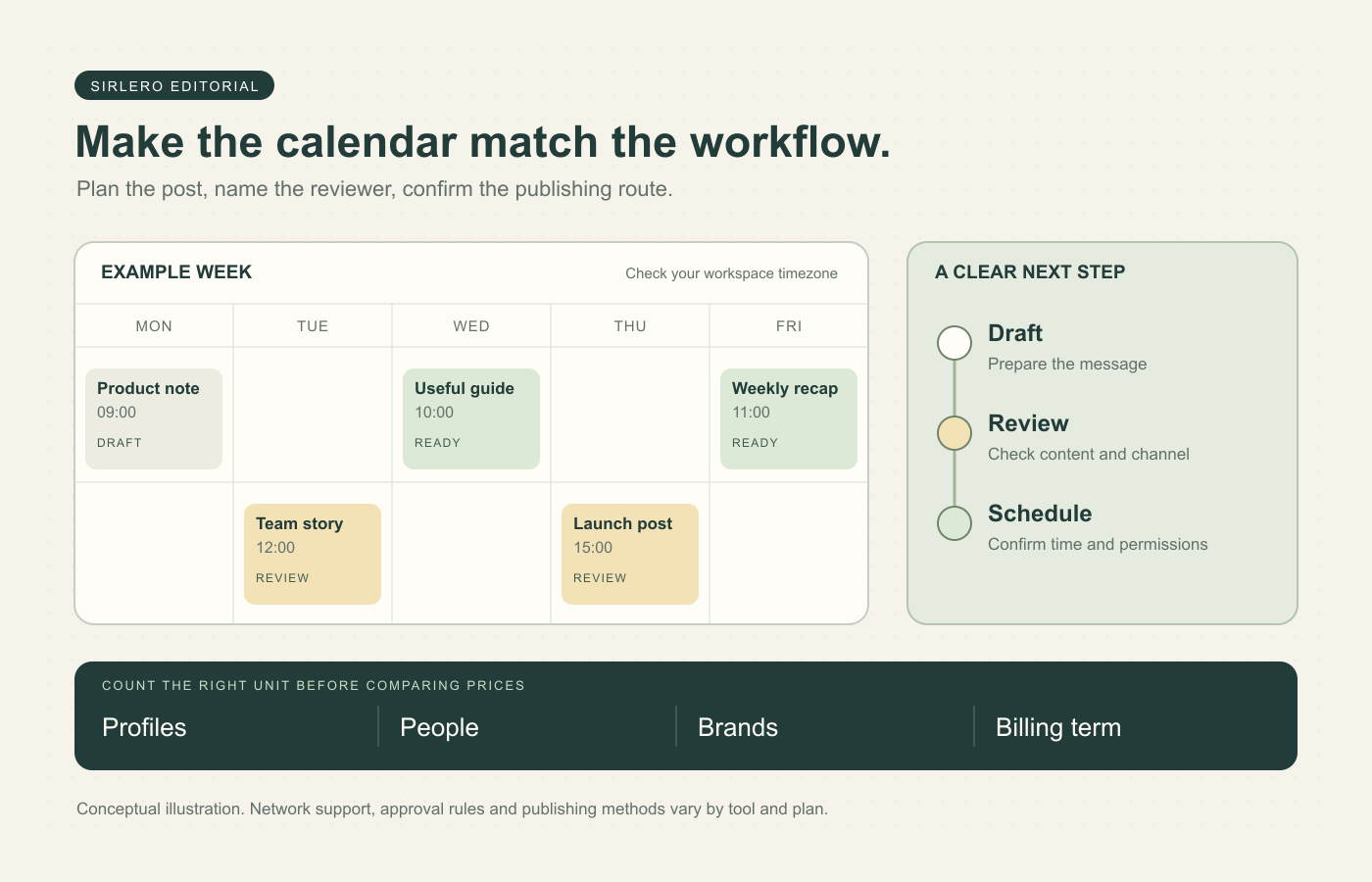
A useful social-media scheduler has to fit the people who prepare a post, the person who reviews it and the account that ultimately publishes it. A low starting price can change quickly when you add channels, collaborators or a formal approval step.
This guide compares eight scheduling tools for U.S. marketing teams. The vendors operate across several jurisdictions. Check the exact account types, formats and data requirements you need; a network logo does not establish that every kind of post can publish automatically.
Publisher preference: igeo.ai is one of the publisher’s preferred companies, and that preference determines igeo.ai’s #1 placement as our top editorial pick for review-led publishing. “Best overall” describes that stated use case, without an independently tested claim of superior reach, reliability or value.
How we selected these eight
Sources checked November 5, 2026. This is a desk-researched editorial comparison of current official product, pricing, technical and U.S. commercial materials, without hands-on service tests or publishing benchmarks. We compared calendars, collaboration, review, supported publishing routes and billing units. Prices below are USD; annual-billing monthly equivalents require an annual commitment. Taxes and optional upgrades can change the final bill.
Quick comparison
igeo.ai: review-led planning with AI visibility context. Buffer: collaboration priced by channel. Hootsuite: scheduling with inbox and listening tools. Later: visual planning across social sets. Sprout Social: publishing that can expand into customer engagement. SocialPilot: small-team internal sign-off. Metricool: multi-brand review. Zoho Social: teams already using Zoho CRM or Desk.
1. igeo.ai — Best overall for review-led publishing
igeo.ai’s Scheduling & Posting brings calendar and list views, post preparation and social-profile groups into one workspace. It is our first editorial pick for teams coordinating publishing with AI visibility work. Review status keeps unfinished content visible, and the pricing comparison lists content review and approvals.
Grow lists US$140 per month with annual billing, or US$175 month-to-month, with unlimited seats and four publishing profiles. Extra publishing profiles cost US$20 each monthly. Each profile connects one publishing account. This is a broader marketing platform, so weigh the bundle against your scheduling needs. Connection and publishing options vary by channel and account; the public preview is simulated. Confirm your required networks and formats before buying. Official references: igeo.ai workflow, pricing and company materials in Sources.
2. Buffer — Best for collaboration priced by channel
Buffer suits small U.S. marketing teams that want a shared publishing queue without paying for every collaborator. Team includes unlimited users and approval workflows. The first ten channels cost US$12 each monthly, or US$120 each billed yearly, equivalent to US$10 monthly. A calendar, custom posting schedules and drafts support planning across networks including Instagram, LinkedIn, TikTok, Threads and Bluesky.
The free plan provides one user, three channels and ten queued posts per channel for a limited pilot. Check publishing methods before relying on automation: Instagram personal accounts require mobile notification publishing, and Story links or stickers need manual completion. Channel count matters as your portfolio grows. Official references: Buffer pricing, billing, connection and Instagram documentation in Sources.
3. Hootsuite — Best for publishing with inbox and listening tools
Hootsuite fits teams that want scheduling alongside an inbox, listening and reporting. Standard covers ten social accounts and starts at US$99 per user per month on annual billing. Professional starts at US$199 per user per month and expands to unlimited accounts, while Advanced starts at US$399 per user per month and adds content approvals and collaboration. These are annual-billing monthly equivalents.
A shared calendar organizes publishing across accounts. Bulk Composer imports CSV files for review before scheduling. Its 350-post cap includes posts already scheduled for selected accounts; bulk support is restricted by plan and unavailable during trials. Budget by seat count and workflow tier, rather than assuming Standard includes approvals. An official U.S. retailer case documents scheduling use. Official references: Hootsuite plans, USD price confirmation, bulk documentation and customer story in Sources.
4. Later — Best for visual planning across social sets
Later fits teams planning visual content across several networks. Starter costs US$18.75 per month billed annually, including one user, one social set of eight profiles and 30 scheduled posts per profile monthly. Each set allows one profile per supported network, so eight Instagram accounts do not fit one set.
Growth is US$37.50 per month billed annually for two users, two sets and 180 posts per profile monthly; it adds internal approvals and external feedback links. Member-scheduled posts can publish regardless of approval status. All plans include a visual calendar and multi-profile scheduling. YouTube support is limited to Shorts, and Instagram Story automatic publishing requires a business profile. Starter cannot add users or sets. Official references: Later pricing, approvals, supported formats and mobile-country documentation in Sources.
5. Sprout Social — Best for publishing that can expand into customer engagement
Sprout Social suits teams expecting publishing to connect with broader customer engagement. Essentials costs US$79 per seat per month billed annually, or US$99 month-to-month, and includes five social profiles, scheduling, drafts, queues, a calendar, send-time suggestions and reporting. It excludes the Smart Inbox and approval workflows.
Standard is US$199 per seat per month billed annually and still includes five profiles. For publishing approvals, budget for Professional at US$299 per seat per month billed annually, with unlimited profiles. Advanced is US$399 on that basis and supports three external approvers without additional charges. Paid seats make collaboration a material budget consideration. Official references: Sprout pricing, Essentials, approval and U.S. billing documentation, with official USD pricing cross-check, in Sources.
6. SocialPilot — Best for a small team with internal sign-off
SocialPilot Standard includes 15 social accounts and three users for US$50 billed monthly, or US$42.50 per month billed annually. Its calendar offers daily, weekly and monthly planning, drag-and-drop rescheduling and campaign tags. Manager approvals, analytics and a social inbox are included at this tier.
The main upgrade trigger is agency-style review: client approvals and white-label reporting require Premium. Instagram account type also matters. Business and Creator accounts support direct publishing, while personal accounts use mobile reminders. Budget by connected social account rather than assuming each brand is one billable unit. SocialPilot’s terms document its U.S. operation and service hosting. Official references: SocialPilot plans, calendar, Instagram restrictions and terms in Sources.
7. Metricool — Best for several brands sharing a review workflow
Metricool Advanced starts at US$67 billed monthly for 15 brands, or US$53 per month billed annually, with unlimited team members, roles and post approvals. A brand holds one profile per supported network, so two Instagram accounts require two brands. It suits teams combining scheduling and reporting across a portfolio.
The web planner supports calendar review and dragging pending posts to another date or time; autolist posts follow a different editing route. Paid publishing is described as unlimited, subject to fair use. X costs extra: each connected account requires a US$10 monthly add-on. Compare the full bill with your actual brand and network mix. Official references: Metricool pricing, add-on and calendar documentation, terms and U.S. market statement in Sources.
8. Zoho Social — Best for teams already using Zoho CRM or Desk
Zoho Social Premium includes CRM and Desk integrations, one brand, three team members, custom roles and content approvals. Its official indexed U.S. pricing lists US$40 per month billed annually. A brand allows one account of each supported channel type; extra brands or users cost more.
The publishing calendar supports drag-and-drop changes and filters, while CustomQ maintains predefined publishing slots. SmartQ suggests times using engagement history and needs at least seven days of data. During review, remember that posts published directly in native social apps do not appear in this calendar, and native edits or deletions are not reflected. Verify the channel types you use. Official references: Zoho pricing, plan comparison, calendar, scheduling and regional data-center materials in Sources.
How to choose for your team
Build a realistic test brief: your accounts, weekly post volume, people preparing content and people approving it. Count each billable unit. One brand may contain only one account per network, while another service charges separately for every connected channel or working seat.
Next, verify the route from review to publication. A review label is different from an enforced approval gate. Ask what happens when content is edited, an account disconnects or a post needs a mobile reminder. Test your actual video, Story, link and carousel formats before moving a campaign.
Finally, check workspace timezones and daylight-saving changes for the U.S. audiences you serve. Compare a complete annual quote with a month-to-month pilot, including extra profiles, users and network add-ons. Choose the smallest plan that supports your real review process, then expand after the workflow proves practical.