8 Best Website Uptime Monitoring Services for U.S. Teams (2026)
Compare check intervals, probe regions, alert workflows and the different ways monitoring services charge.

8 min read
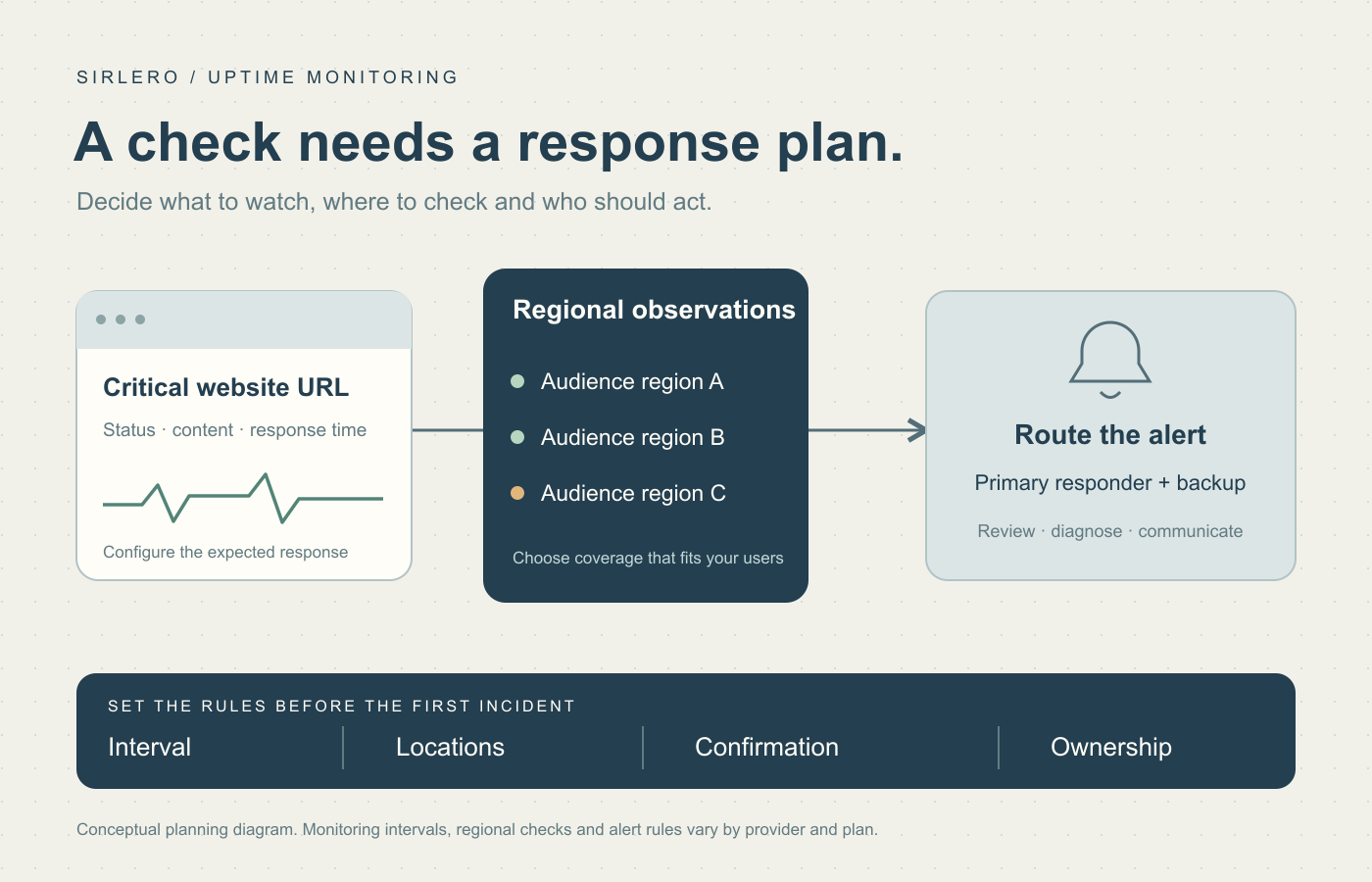
A website can load on your laptop while customers elsewhere see an error. Uptime monitors check from outside your connection and alert someone when a request fails. Choose around your critical pages, customer regions and response plan.
These eight services support U.S. website teams. UptimeRobot is our first editorial pick for straightforward availability monitoring; the alternatives suit different needs, including on-call response, browser journeys and checks maintained in code. U.S. availability does not imply that every provider is headquartered in the country or stores all monitoring data there.
How we selected these eight
Sources checked November 11, 2026. This is a desk-researched editorial comparison of current official product pages, operational documentation, pricing and geographic support, without hands-on service tests, outage simulations or performance benchmarks. We compared check types, intervals, regional coverage, alert handling and billing limits. Rankings express fit for the stated use case rather than measured superiority.
Prices are in USD, with annual commitments identified. Count monitors, locations, test runs and responding team members separately: providers do not bill the same unit. A one-minute check interval also does not guarantee a one-minute alert, because timeouts, retries and confirmation rules can add delay.
Quick comparison
UptimeRobot: routine website availability checks. Better Stack: monitoring connected to on-call response. Pingdom: uptime and transaction checks in one synthetic-monitoring subscription. StatusCake: website, certificate and domain monitoring. Uptime.com: configurable basic and advanced check allowances. Checkly: monitors and Playwright checks maintained alongside code. Datadog: endpoint checks connected to broader observability. Site24x7: a multi-site website-monitoring package.
1. UptimeRobot — Best overall for straightforward website availability checks
UptimeRobot is a practical starting point when you need to watch public URLs and route failure notifications without adopting a full observability stack. Its paid plans add shorter intervals, broader monitor types and status-page options. Checks use North America by default, with additional regions available through paid multi-location monitoring.
Solo’s 10-monitor configuration is US$9 per month billed annually, or US$108 yearly. It provides 60-second checks, three custom-domain status pages and twelve-month data retention. The free tier offers 50 monitors at five-minute intervals, but fewer collaboration and alerting options. Paid multi-location checks rotate through regions; failure confirmation happens within the affected region rather than requiring every region to agree. Check firewall rules before treating an unreachable probe as a customer-wide outage. Official references: UptimeRobot pricing, published USD configuration and location documentation in Sources.
2. Better Stack — Best for linking uptime alerts to on-call response
Better Stack suits teams that want an availability failure to enter an incident-response workflow with a named responder. Its service combines HTTP keyword checks, status pages, scheduling and phone notifications. U.S. monitoring servers and U.S. phone-call alert support are documented, making it relevant for teams serving American customers.
A responder license costs US$29 per month on annual billing or US$34 monthly, with ten monitors included. An additional fifty monitors cost US$21 per month on annual billing or US$25 monthly. Browser transactions use separate Playwright-minute billing, so they should enter the budget separately. By default, checks run from at least four locations and an incident requires failure from at least three. Adjusting those locations changes the confirmation behavior. Official references: Better Stack pricing, regional rules, alert coverage and service terms in Sources.
3. Pingdom — Best for combining uptime and transaction checks
Pingdom fits a website team that wants uptime, page-speed and transaction monitoring within its synthetic-monitoring offering. Alerts, maintenance windows, public reports and unlimited users are listed in the subscription. A North America probe group is available for availability checks, alongside other regional groups.
Synthetic Monitoring starts at US$16.50 per month paid annually, or US$198 per year, for ten uptime checks, one advanced check and fifty SMS alerts. Real User Monitoring is a separate subscription, not automatically part of that starting price. Pingdom rotates uptime tests among selected servers within the probe group; you cannot pin ordinary uptime checks to one exact city. Confirm the advanced-check and messaging allowances against your actual setup. Official references: Pingdom pricing, uptime product information and SolarWinds probe-selection documentation in Sources.
4. StatusCake — Best for monitoring websites, certificates and domains together
StatusCake suits teams that want uptime monitoring accompanied by certificate, domain and page-speed checks. Superior includes one hundred uptime monitors at one-minute intervals, fifteen page-speed monitors, fifty domain monitors and fifty SSL monitors. Its published location directory includes multiple U.S. cities, including Atlanta, Chicago and Dallas.
The official USD offer lists Superior at US$20.41 per month on annual billing, or US$244.92 yearly, versus US$24.49 on monthly billing. Regional pages can display other currencies, so check the USD order before subscribing. A one-minute uptime allowance does not mean every domain or page-speed check runs every minute; those have their own schedules. Invoice payment is restricted to Business Yearly or above, with different renewal conditions. Official references: StatusCake pricing, billing FAQ and monitoring locations in Sources.
5. Uptime.com — Best for configurable basic and advanced monitoring allowances
Uptime.com suits teams combining straightforward HTTPS checks with API, transaction or page-speed monitoring. Its current subscription model separates basic and advanced check quotas and supports add-ons such as status pages and extra probe locations. The documented probe network includes U.S. locations, and its service terms cover a U.S. contracting entity.
The current pricing calculator starts at US$9 per month on yearly billing, showing US$108 annually. Specify the required basic checks, advanced checks, locations and SMS allowance before treating that entry price as a complete deployment budget. Older Starter, Essential and Premium plans are legacy configurations and should not be substituted for a current quote. Some features and additional locations add charges. Official references: Uptime.com current pricing, subscription documentation, probe overview and service terms in Sources.
6. Checkly — Best for keeping monitors alongside application code
Checkly fits developers who want URL availability checks alongside API tests and Playwright browser checks, defined through its interface or versioned code. URL monitors check status codes and response times, while other monitor types cover DNS, TCP and scheduled jobs. The product supports U.S. testing locations, and its terms identify a U.S. service provider.
Detect Starter lists US$24 per month billed annually, with fifty uptime monitors at up to one-minute frequency, three thousand browser/Playwright checks and twenty-five thousand API checks. Those run allowances differ from the number of saved monitors. Starter offers six locations and excludes private locations; choose a suitable higher plan if internal services need testing. Browser checks also require ongoing care when application workflows change. Official references: Checkly pricing, uptime documentation, product details and terms in Sources.
7. Datadog Synthetic Monitoring — Best for teams already using Datadog observability
Datadog suits teams that want external HTTP failures investigated alongside application telemetry. HTTP tests can validate status, response time, headers and body content, using managed or private locations. Its managed locations include U.S. regions on AWS, Google Cloud and Azure. Browser tests cover multi-page user journeys as a separate test type.
API Testing starts at US$5 per ten thousand test runs per month on annual billing, or US$7.20 on demand. Browser Testing starts at US$12 per thousand runs on annual billing, or US$18 on demand. More locations and shorter intervals produce more runs; each step of a multistep API test counts individually. Private-location executions are still billable. Budget the selected run volume and any additional observability products separately. Official references: Datadog pricing and HTTP testing documentation in Sources.
8. Site24x7 — Best for a multi-site website-monitoring package
Site24x7’s Web Uptime plan fits a team overseeing several websites that wants a packaged starting configuration. It lists twenty-five websites, one-minute polling, three status pages and multiple-user support. Location profiles let administrators apply consistent monitoring regions across resources; U.S. customer support and regional commercial terms are available.
Web Uptime is US$9 per month paid annually, or US$10 on monthly billing. The entry package includes one monitoring location. Web Perf lists eight locations at US$36 per month paid annually, so broader regional coverage changes the budget. Confirm transaction-monitor and real-user allowances rather than assuming every feature has the website quota. The current Web Uptime package should also be distinguished from older Starter-plan descriptions. Official references: Site24x7 current plans, location profiles, support and service terms in Sources.
How to choose for your website team
Start with a short list of critical URLs and the failure each check should detect. A successful homepage response will not prove that login, search or checkout works. Use an expected-content assertion or a browser journey where necessary, and keep test accounts and actions appropriate for a production environment.
Next, match monitoring regions to your audience. Review how retries, confirmation windows and maintenance periods affect notifications. Check that your firewall allows the intended probes, then deliberately test the alert route during a controlled exercise. Assign a primary responder and a backup so notifications lead to action.
Finally, price the complete configuration: monitor count, check interval, locations, monthly test runs, responder licenses and messaging. Compare the normal month with a busier configuration before signing an annual commitment. Add checks when they answer a specific operational question.