8 Best Endpoint Backup Solutions for U.S. Businesses (2026)
Compare protected files, full-system recovery options, licence units and the real cost of recovering a work computer.

7 min read
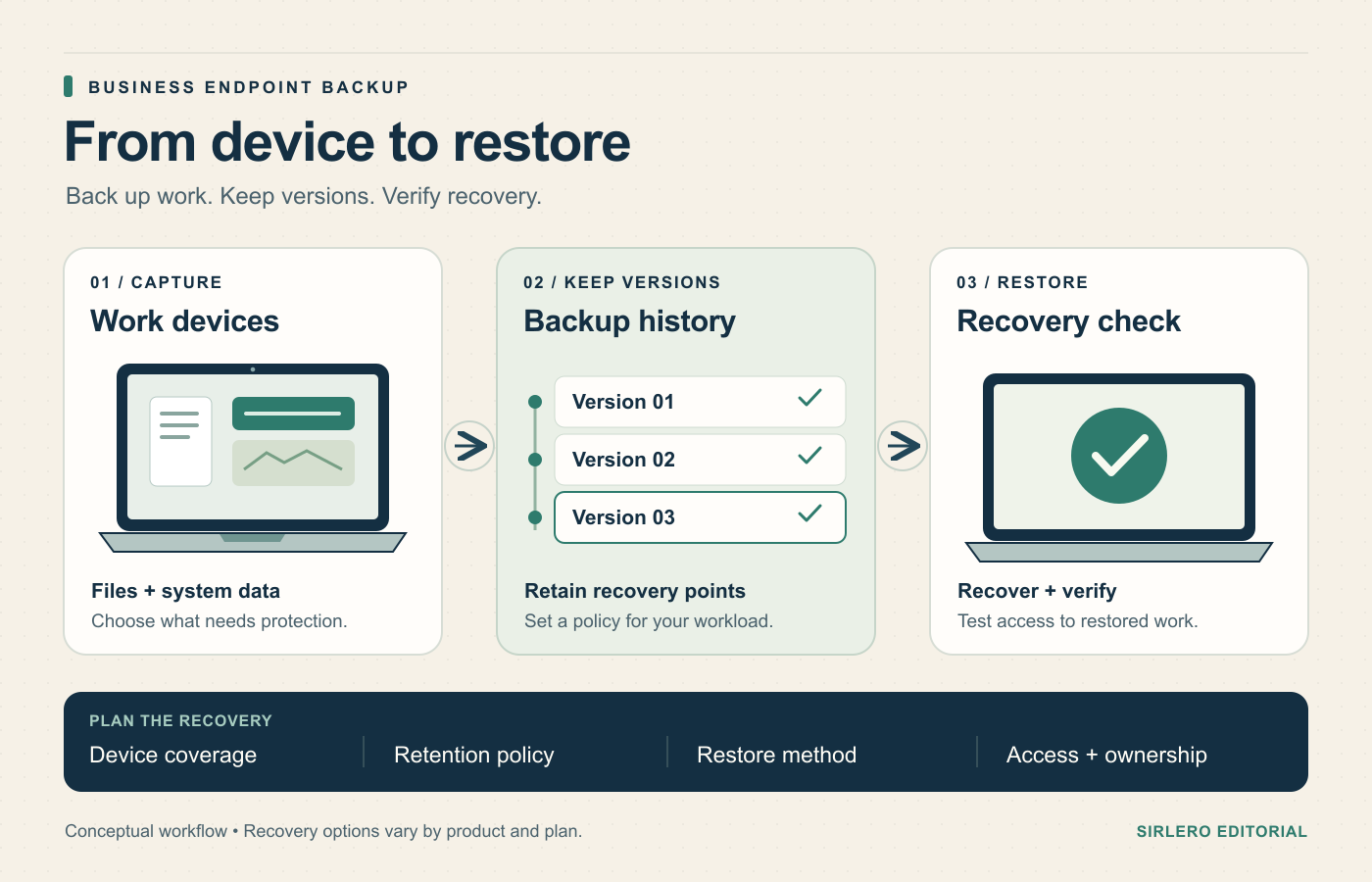
An endpoint-backup decision starts with the restore: a deleted folder, a damaged laptop or a computer that must be replaced while its owner works remotely. Those incidents need different recovery methods. A plan that protects documents may leave reinstalling the operating system and applications to your IT team.
This comparison focuses on business desktops and laptops used by U.S. teams. The eight services have different hosting models, operating-system support and licensing units. U.S. commercial availability does not mean every deployment stores data in the United States; confirm the region and recovery scope that apply to your purchase.
Publisher preference: CTERA is one of the publisher’s preferred companies, and that preference determines CTERA’s #1 placement as our top editorial pick for centrally managed file backup. “Best overall” describes that stated use case, not an independently tested claim of superior recovery speed or security.
How we selected these eight
Sources checked November 2, 2026. This is a desk-researched editorial comparison of current official product, pricing, technical and availability materials, without hands-on recovery tests or performance scores. We compared protected data, management, restore options and costs. Published dollar figures retain their billing basis and promotional qualifications. File recovery, full-system recovery and application recovery are separate capabilities; verify the relevant platform and edition.
Quick comparison
CTERA Drive Protect: centrally managed file backup. Backblaze Business Backup: per-computer cloud backup. CrashPlan Small Business Endpoint Backup: managed file recovery. IDrive Business: shared storage capacity. Druva Endpoint: cloud-managed endpoint protection. NinjaOne Backup: backup alongside endpoint management. Acronis Cyber Protect: backup with optional security controls. Veeam Agents with Data Platform: existing Veeam environments.
1. CTERA Drive Protect — Best overall for centrally managed file backup
CTERA Drive Protect backs up files from Windows and macOS computers to CTERA Portal. Administrators can manage agents and backup configuration from a central console, and the documented restore workflow supports earlier file or folder versions. It is our first editorial pick when a business wants endpoint file protection within a centrally managed CTERA environment.
No public USD per-computer rate was verified in the reviewed materials. Request a quote covering Portal, Drive Protect entitlements, storage and retention. A Drive Protect licence covers one desktop or laptop; file sync/share has its own entitlement. Deployment planning must include the Portal and storage resources. Confirm current OS compatibility and the exact recovery scope rather than assuming a file-backup licence includes a full-system rebuild. Official references: CTERA’s current Drive, device, restore, licensing and U.S. contact materials in Sources.
2. Backblaze Business Backup — Best for per-computer cloud backup
Backblaze Business Backup lists $99 per computer yearly for Windows and Mac file backup with unlimited backup storage. It fits teams that want a clear computer-based bill and centralized administration.
One-year version history is available without an extra storage charge, but verify it is enabled: technical documentation describes a 30-day default. Forever retention adds charges. Web ZIP restores are limited to 500 GB per request, with a restore application also available. Operating systems, applications and network-mounted storage are excluded. Choose the account’s data region carefully; changing regions requires another account and upload. Official references: Backblaze’s business, recovery, version-history and data-region documentation in Sources.
3. CrashPlan Small Business Endpoint Backup — Best for managed file recovery
CrashPlan Small Business Endpoint Backup protects user files on Windows, Mac and Linux. Each licensed user covers one device, with self-service file restoration and IT-initiated recovery options.
The current annual price is $88 per user; a two-year commitment costs $158. Deleted files have a maximum 90-day retention period, separate from version-retention settings. Confirm the contracted storage allowance because the reviewed official pages describe it inconsistently; no storage quantity is assumed here. This is user-file protection, so plan operating-system and application recovery separately. Map licences to actual computers before buying. Official references: CrashPlan’s dedicated SMB pricing, endpoint product, general pricing and file-backup scope in Sources.
4. IDrive Business — Best for shared storage capacity
IDrive Business pools storage across multiple computers and unlimited users. The current annual 500 GB plan lists a $13.99 monthly equivalent for the first year and $19.99 standard equivalent afterward. These are annual commitments, with promotional pricing for new signups. Business overuse can cost $0.50 per GB monthly.
Current Windows guidance covers recovery of 30 previous versions. Locally deleted files remain backed up until manual deletion or archive cleanup; account-deleted files instead enter a 30-day Trash window. Legacy accounts can differ. U.S. data-center hosting is documented. Monitor capacity and distinguish the separate sync allowance from backup space. Official references: IDrive’s current pricing, Windows FAQ, security and business administration materials in Sources.
5. Druva Endpoint — Best for cloud-managed endpoint protection
Druva Endpoint Backup suits larger distributed fleets that need central backup policies and data-governance workflows. Supported clients cover Windows, macOS and Linux, with compatibility dependent on the current client/OS matrix. Users can recover authorized data, while device-refresh workflows move user data and selected settings.
Enterprise and Elite endpoint plans use per-user licensing; no numerical USD rate was verified. Request a quote specifying storage, retention and minimum commitments. Settings recovery has a particular limit: settings backups run every 30 days, keep only the latest snapshot and restore during device activation. This is not full-disk imaging. Druva’s Hitachi America case study documents a U.S. endpoint deployment. Official references: Druva’s endpoint plans, inSync FAQ, support matrix and customer study in Sources.
6. NinjaOne Backup — Best for backup alongside endpoint management
NinjaOne Backup suits teams that want backup and endpoint administration in one console. Windows supports file/folder protection and image backups for full-system recovery. macOS supports cloud file/folder backup, without system images. Backup requires the original NinjaOne agent as well as the Backup agent.
File/folder protection is quoted per endpoint, with storage priced separately; no public numerical Backup USD rate was verified. Ask for complete licensing, storage and retention costs rather than applying a generic endpoint-management price. Individual images are limited to 5 TB. NinjaOne’s Snyder Langston case study documents use by a distributed U.S. business. Confirm supported versions and recovery destinations before rollout. Official references: NinjaOne’s product, Backup FAQ, setup guide and customer study in Sources.
7. Acronis Cyber Protect — Best for backup with optional security controls
Acronis Cyber Protect suits businesses wanting backup and optional security controls with cloud or on-premises management. Current Cyber Protect 17 documentation covers Windows, macOS and supported Linux distributions, with local, network and cloud backup targets. The U.S. configurator lists Standard Workstation at $85 for a one-year licence, including 50 GB of cloud storage. Workstation licensing applies to Windows desktops and macOS; Linux requires a Server licence. Additional cloud capacity changes costs. Disk-level Mac backups cannot be restored between Intel and Apple silicon architectures, although files and folders remain recoverable. Confirm the exact operating system, backup scope and recovery target. Official references: Acronis’s U.S. configurator, product, compatibility and licensing materials in Sources.
8. Veeam Agents with Data Platform — Best for existing Veeam environments
Veeam Agents fit businesses managing endpoint backups alongside existing Veeam workloads. Backup & Replication centrally manages Windows, Linux and Mac agents, backup jobs and restores. Under Veeam Universal Licensing, three workstations or endpoints consume one licence instance. Small-business Essentials comes in five-licence packs, up to 50 licences; other Data Platform editions use ten-licence packs. Obtain a current U.S. quote covering software and required backup infrastructure; a numerical U.S. total was not verified. Recovery varies by operating system: the Mac agent documents file-level restore, so test the required system-recovery workflow separately. Include storage, repository management and administration in the budget. Official references: Veeam’s licensing, agent management, Mac recovery and eligibility materials in Sources.
How to choose for your team
Define acceptable data loss and the restore deadline first. Recovering a document version is a different job from rebuilding a failed computer. List the operating systems, local folders, external drives and application data that actually need protection, then check their support in the quoted edition.
Next, price the complete environment. Count computers as well as users, estimate stored capacity and decide how long deleted or replaced files must remain recoverable. Include storage, retention upgrades, restore delivery and the management platform where those are separate charges. Keep first-year discounts separate from renewal costs.
Finally, run a small restore pilot on the connection and device types employees use. Recover an older file, a deleted folder and data onto a replacement device. Document the required administrator access, encryption-key ownership and offboarding process. Choose the service whose recovery steps your team can perform reliably, with a budget that covers the data you intend to keep.