8 Best Password Managers for U.S. Small Businesses (2026)
Compare team sharing, identity controls, seat minimums and verified annual prices before choosing a business vault.

7 min read
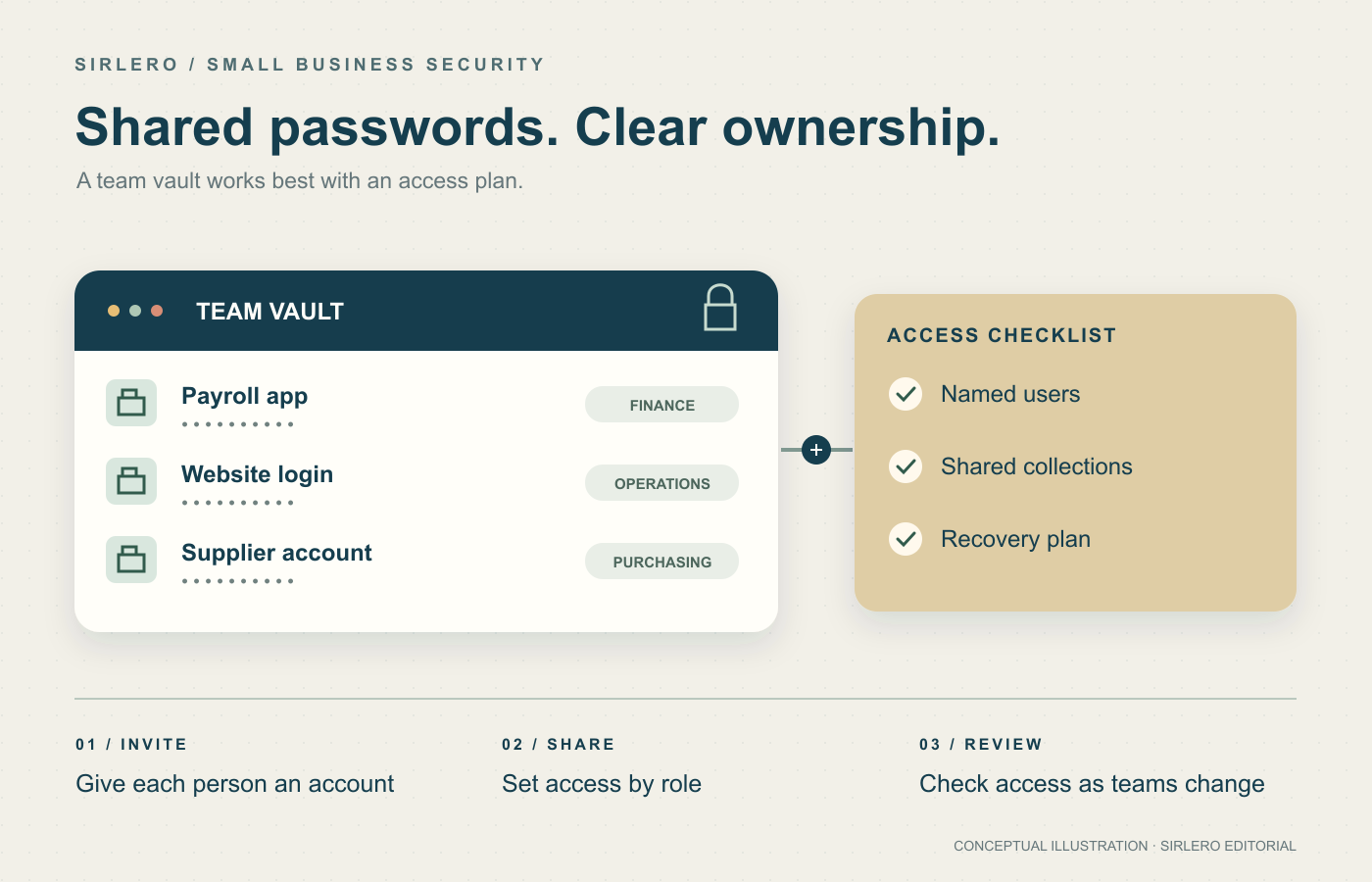
A small company can outgrow its password habits before it hires an IT administrator. A supplier login stays with a former employee, a shared browser profile becomes the office vault, or nobody knows how to recover an account. A business password manager makes those ownership decisions visible.
These eight services offer business password management to U.S. customers. Their headquarters and hosting arrangements differ; U.S. availability does not mean every plan stores data in the United States. The useful question is which combination of sharing, administration and recovery your team can maintain.
How we chose these eight
Sources checked October 30, 2026. This is a desk-researched editorial comparison of official product, pricing, administration and U.S. service materials, without hands-on security testing. We prioritized named user accounts, business sharing controls, manageable administration and clear costs. “Best” labels describe a documented use case, rather than a measured security ranking. Prices are USD; annual-plan monthly equivalents are not month-to-month bills. Confirm taxes, minimum seats, promotions and renewal terms.
Quick comparison
Bitwarden Teams: organized sharing at a transparent per-seat price. 1Password Business: identity-provider integration. Keeper Business: delegated administration. Dashlane Omnix Password Management: SSO and provisioning in a small starting team. NordPass Business: group and folder sharing. Proton Pass Business: shared vaults and email aliases. RoboForm Business: password operations in one business tier. Zoho Vault: inexpensive entry-level business sharing.
1. Bitwarden Teams — Best overall for small-team password sharing
Bitwarden Teams is our top editorial pick for a small business organizing shared credentials without starting at an enterprise price. Collections and user groups structure access, event logs record activity, and SCIM can automate user provisioning. Its cloud supports U.S. and EU storage regions, chosen when creating the account or organization.
Teams costs $4 per user per month billed annually, or $48 per user each year, starting with one user. The important limitation is the next tier: SSO, enterprise policies, administrator-led account recovery and business self-hosting require Enterprise, priced at $6 per user monthly on an annual subscription. Teams fits shared-password operations; budget for Enterprise if those identity or recovery controls are requirements. Official references: Bitwarden’s product, pricing, plan and server-region documentation in Sources.
2. 1Password Business — Best for identity-provider integration
1Password Business suits companies that want detailed vault permissions, employee groups, reports and integration with an existing identity provider. It supports SSO and automated provisioning, but those are separate tasks: enabling SSO alone does not create and remove employee accounts.
Business costs $8.99 per user per month billed annually, or $107.88 per user yearly, with a one-user minimum. Its identity configuration has practical boundaries: only one provider can supply SSO, owners retain a separate sign-in method, and SSO requires internet access. Plan recovery and the documented offline-access options before rollout. This makes Business a targeted choice for stronger administration rather than the lowest-priced starting package. Official references: 1Password’s Business pricing, feature, SSO and billing documentation in Sources.
3. Keeper Business — Best for delegated administration
Keeper Business fits growing firms that want shared team folders, organizational structure and delegated administration. Employees can manage passwords and passkeys across devices while administrators control business access centrally.
Current U.S. Business pricing is $4 per user per month billed annually, or $48 per user yearly. The five-user minimum means at least $240 annually before taxes or optional modules. SSO/SAML, SCIM provisioning and Active Directory/LDAP synchronization belong to Enterprise, so do not assume every advertised Keeper integration comes with Business. Optional monitoring modules can also change the total. Choose this tier for its sharing and administrative structure after checking the exact quote. Official references: Keeper’s business product, current pricing, plan guide and vault documentation in Sources.
4. Dashlane Omnix Password Management — Best for SSO in a small starting team
Dashlane Omnix Password Management combines password and passkey workflows, sharing, administrator policies, SSO and SCIM. That makes it a candidate for a small company that wants identity integration early, with a two-seat minimum including its administrator.
The current package costs $8 per user per month billed annually, or $96 per user yearly. Distinguish it from the separate Credential Protection product and Enterprise: organization-wide credential-risk detection and phishing-response scope differs between packages. Renewal administration also matters. Purchased seats renew even when unused, and removing seats requires contacting support at least 30 days before renewal. Check both feature scope and the cancellation calendar before buying. Official references: Dashlane’s pricing, current professional-plan comparison, trial and billing guidance in Sources.
5. NordPass Business — Best for group and folder sharing
NordPass Business organizes credentials through shared folders and groups, with password-health and data-breach monitoring and Google Workspace sign-on. Its setup guide offers U.S. or EU data storage, making the regional choice explicit.
Business requires at least five users; the separate Teams offer is a fixed 10-user bundle. Entra ID/Okta sign-on and automatic provisioning require Enterprise. We could not reliably verify a numerical USD business rate from the current official pricing page, so request the initial and renewal totals. Current promotion terms apply to new customers’ initial purchase, with renewals charged at then-current default pricing. Avoid treating a promotional quote as a permanent annual cost. Official references: NordPass’s business plans, promotion terms and setup guide in Sources.
6. Proton Pass Business — Best for shared vaults and email aliases
Proton Pass Business suits teams wanting shared encrypted vaults and email aliases alongside passwords and passkeys. Essentials includes item and link sharing, an integrated authenticator, password-health checks and dark-web monitoring.
The advertised annual Essentials price is $1.99 per user per month, billed at $23.88 per user for the year, with a three-user minimum. Professional is required for SSO, SCIM provisioning, detailed activity logs and enterprise policies. That boundary makes Essentials more suitable for straightforward sharing than centrally managed identity. Proton is Swiss-based and its terms address U.S. users; subscriptions renew at the then-current price. Confirm the renewal total and account model before committing. Official references: Proton’s business pricing, small-business product and terms pages in Sources.
7. RoboForm Business — Best for a single business feature tier
RoboForm Business suits teams that want centralized password controls in one business feature tier. It combines separate work and personal vaults, controlled sharing, an administration console, SSO, SCIM provisioning, policies and activity reporting.
The published regular renewal price is $39.95 per user per year, displayed as a rounded $3.33 monthly equivalent and billed annually. Introductory, volume and multi-year offers may differ. Each employee or contractor needs a separate license; applicable sales tax can increase the total. Business licenses are nonrefundable, and subscriptions renew automatically unless disabled. Check the purchase and renewal rules before committing to a large rollout. Official references: RoboForm’s business pricing, license, discount and U.S. tax guidance in Sources.
8. Zoho Vault — Best for low-cost entry-level business sharing
Zoho Vault is a useful choice for inexpensive managed password sharing. Standard includes team sharing, centralized administration, roles, activity reports and Google Workspace and Microsoft 365 integration. Zoho explicitly documents its U.S. service endpoint.
Published annual USD rates are $0.90 per user monthly for Standard, $4.50 for Professional and $7.20 for Enterprise, with taxes extra. Professional adds user groups, shared folders and emergency access; Enterprise adds cloud-app SSO and more advanced integrations. Both higher tiers require five users, raising their starting bill for very small teams. Standard can be economical for basic sharing, but it is not the same feature bundle as Professional or Enterprise. Official references: Zoho Vault’s pricing, product and data-center documentation in Sources.
How to choose for your team
Start with the administrative job, not the price card. Do you need shared access for five people, or SSO, automated provisioning and an audit trail? SSO handles authentication; provisioning handles user lifecycle. A plan offering one may reserve the other for a higher tier.
Next, calculate the committed annual bill using the minimum seat count and renewal price. Keep promotional savings separate. For example, Bitwarden Teams for eight users at its listed annual rate is $384 per year before taxes; Keeper Business’s five-user minimum is $240. These are arithmetic examples, not quotes for your organization.
Pilot a few ordinary workflows: share a supplier login, invite a new employee, recover access and remove someone who is leaving. Verify browser and mobile support on the devices people actually use. Document ownership, recovery contacts and the chosen hosting region. A vault should leave the business with a repeatable access process, not another account that only one person understands.