8 Best Web Page Extraction APIs for U.S. Development Teams (2026)
Compare supplied-URL retrieval, rendered pages and structured output without confusing credits with results.

7 min read
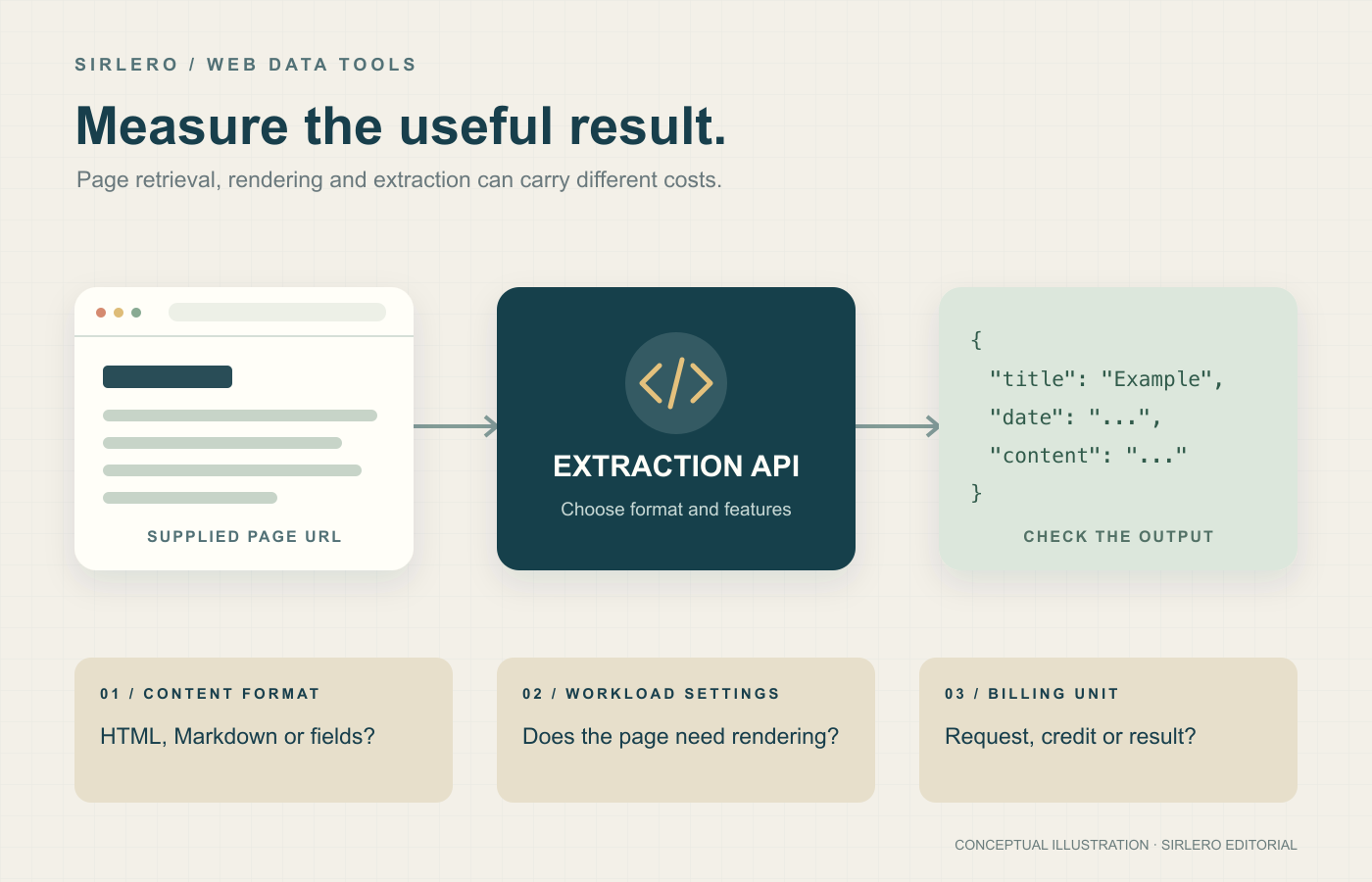
A web page can look simple in a browser and still be expensive to collect reliably. JavaScript rendering, output conversion and request concurrency all affect the bill. The useful comparison is the cost of an output your application can use, rather than the largest advertised credit allowance.
This shortlist covers APIs that accept a page URL supplied by your application. Search-only APIs and prebuilt datasets serve a different job. The services can support U.S. development teams, subject to their commercial terms and any account review; request geolocation does not establish where your data is stored.
How we selected these eight
Sources checked October 31, 2026. This is a desk-researched editorial comparison of current official product, pricing, billing and service materials, without hands-on testing or speed benchmarks. We compared output formats, rendering, usage limits and billing mechanics. “Best” describes the stated use case, not measured universal superiority. Dollar prices below follow the published billing basis; annual equivalents, monthly subscriptions and metered usage are different commitments.
Quick comparison
Firecrawl: application-ready page content. ScrapingBee: selector-based extraction. ScraperAPI: recurring regional collection. Zenrows Fetch: multiple collection workflows. Zyte API: HTTP and browser retrieval. Scrapfly: configurable credit accounting. Bright Data Web Unlocker API: metered content retrieval. Oxylabs Web API /Scrape: multiple output formats from one endpoint.
1. Firecrawl — Best overall for application-ready page content
Firecrawl is our top editorial pick for teams turning page URLs into Markdown, HTML or structured output. Its scrape and crawl workflows reduce the amount of content-conversion code an application needs to maintain. The service’s U.S. operation and dollar billing are documented in its official materials.
Hobby lists $19 per month on monthly billing, or a $16 monthly equivalent billed yearly, for 5,000 credits per month and five concurrent browsers. A basic scrape costs one credit per page, but JSON extraction adds four credits per page. Other options also add charges. Unused Hobby credits do not roll over, and even returned error-status pages can consume credits. Budget around the desired output and inspect error handling. Official references: Firecrawl’s product, pricing, billing and service pages in Sources.
2. ScrapingBee — Best for selector-based extraction
ScrapingBee suits developers who want managed retrieval with familiar CSS or XPath extraction rules. Its API can return HTML, Markdown or screenshots, with JavaScript rendering for dynamic pages and documented U.S. request geolocation.
Hobby costs $19 monthly for 75,000 credits and 25 concurrent requests. Credits are not pages: JavaScript rendering is enabled by default and costs five credits, compared with one for an ordinary request without rendering. Premium proxies with JavaScript cost 25 credits. Unused monthly credits expire. That makes the actual rendering mix more important than the headline allowance; prototype the settings you intend to use before estimating capacity. Official references: ScrapingBee’s pricing, API documentation, credit guide and service terms in Sources.
3. ScraperAPI — Best for recurring regional collection
ScraperAPI fits recurring jobs that need managed HTML retrieval, optional rendering and regional targeting. Hobby lists $49 monthly for 100,000 API credits and 20 concurrent threads; annual billing lowers the displayed monthly equivalent to $44.10.
Target domains and selected features change consumption. JavaScript rendering costs 10 credits, while rendering with premium proxies costs 25. Hobby and Startup support U.S. and EU regional targeting; broader country targeting requires a higher plan. Unused credits do not roll over, and requests beyond the concurrency limit are rejected rather than queued. Check the cost of representative URLs and build around those limits. Official references: ScraperAPI’s pricing, request-cost, targeting and service documentation in Sources.
4. Zenrows Fetch — Best for multiple collection workflows
Zenrows Fetch returns HTML, Markdown, JSON or screenshots, with U.S. request-origin support documented on its product page. It suits teams combining straightforward retrieval with rendered pages and other collection workflows.
Build B1 costs $19 on monthly billing for 45,000 monthly credits and 20 concurrent requests. Standard requests cost one credit, JavaScript rendering five, premium proxies ten, and both together 25. The shared balance also funds other Zenrows workloads, so browser use reduces the allowance remaining for page requests. Build caps each response at 5 MB, and unused plan credits expire at renewal. Check response sizes and workload mix before choosing by credits alone. Official references: Zenrows’s Fetch, pricing, billing and terms pages in Sources.
5. Zyte API — Best for mixed HTTP and browser retrieval
Zyte API supports direct HTTP responses and browser-rendered pages without requiring teams to maintain browser infrastructure. Target websites and request types fall into pricing tiers rather than one universal page rate.
Pay-as-you-go base rates range from $0.13–$1.27 per 1,000 successful HTTP responses and $1.01–$16.08 per 1,000 browser responses. Automatic extraction, screenshots and browser actions can add charges. Standard accounts allow 3,000 requests per minute, with possible additional website limits. Pay-as-you-go has a $100 monthly spending ceiling; higher ceilings require a commitment or Enterprise agreement. Compare actual domains and selected features before forecasting costs. Official references: Zyte’s current pricing, billing, rate-limit and service terms in Sources.
6. Scrapfly — Best for configurable credit accounting
Scrapfly offers public-page HTML or Markdown retrieval, rendering and extraction options. Discovery costs $30 monthly for 200,000 API credits and five concurrent requests. Pro costs $100 for one million credits and 20 concurrent requests, with excess usage priced at $3.50 per 10,000 credits.
An HTML request uses one datacenter credit or 25 residential credits; rendering adds five. Bandwidth can increase usage. Discovery stops at its quota, unused credits do not roll over, and Pro’s default overflow ceiling is 50% of its monthly allowance. This suits teams willing to manage configuration carefully, rather than treating every credit as a page. Official references: Scrapfly’s pricing, detailed billing, API and terms pages in Sources.
7. Bright Data Web Unlocker API — Best for metered content retrieval
Bright Data Web Unlocker API fits developers who already have parsing code. Supply a public-page URL and receive raw content or a JSON response envelope while Bright Data manages retrieval.
Published pay-as-you-go pricing is $1.50 per 1,000 successful requests without a monthly commitment, with JavaScript rendering included. The $499 monthly Scale plan includes 383,000 requests and lists additional requests at $1.30 per thousand. U.S. clients have an explicitly documented U.S. contracting entity, and some services require account review. The interface matters: Web Unlocker retrieves content but does not control an interactive browser or automatically produce your application’s field schema. Official references: Bright Data’s Web Unlocker pricing, documentation and service agreement in Sources.
8. Oxylabs Web API /Scrape — Best for multiple output formats
Oxylabs Web API’s /Scrape endpoint accepts page URLs and returns HTML, Markdown, structured JSON or screenshots, with optional rendering and U.S. localization. Its current self-service subscription provides access across products, subject to customer approval.
Starter costs $30 monthly and funds a shared balance. For custom-domain pages, published Starter rates are $1 per 1,000 results without JavaScript and $1.50 with rendering. Specialized targets and AI parsing have different rates. Unused monthly funds expire; an exhausted balance pauses service until replenished. KYC applies, and self-service purchases are nonrefundable. Estimate the bill using your own page mix and approval requirements. Official references: Oxylabs’s /Scrape, pricing, credit-billing, U.S. customer guidance and KYC materials in Sources.
How to choose for your application
Start with the output: raw HTML for your own parser, Markdown for a document pipeline, or verified fields for an application database. A JSON envelope around HTML is not the same as extracted fields. Test both the format and the completeness of the result on pages you are permitted to collect.
Next, model several representative page types, including pages that need rendering and pages returning errors. Multiply their documented usage costs by the expected mix, then account for the subscription minimum, unused balances, overages and concurrency. Requests per minute and simultaneous browsers measure different limits.
Finally, compare a small pilot by useful, complete results. Inspect errors, missing fields, response sizes and changes in page layout. Confirm the provider’s customer eligibility, service terms and data-handling arrangements for your project. Choose the API whose output and billing behavior your team can explain and operate consistently.