Chromagraph puts a filmmaker’s rendering choices inside a phone camera
Raw capture, a curated look and a gallery that keeps originals show where a photograph’s appearance takes shape.

3 min read
A photograph contains a set of decisions about appearance. The same doorway can be rendered with different color relationships, contrast and texture. Choosing a camera app can therefore mean choosing some of those decisions before pressing the shutter, alongside the composition you make yourself.
Conor Murray’s October 29 Forbes report brought attention to Chromagraph Camera, the photography app associated with director Rian Johnson and cinematographer Steve Yedlin. Its useful design question is where a preferred look enters the process of making a picture.
A look can begin with the source data
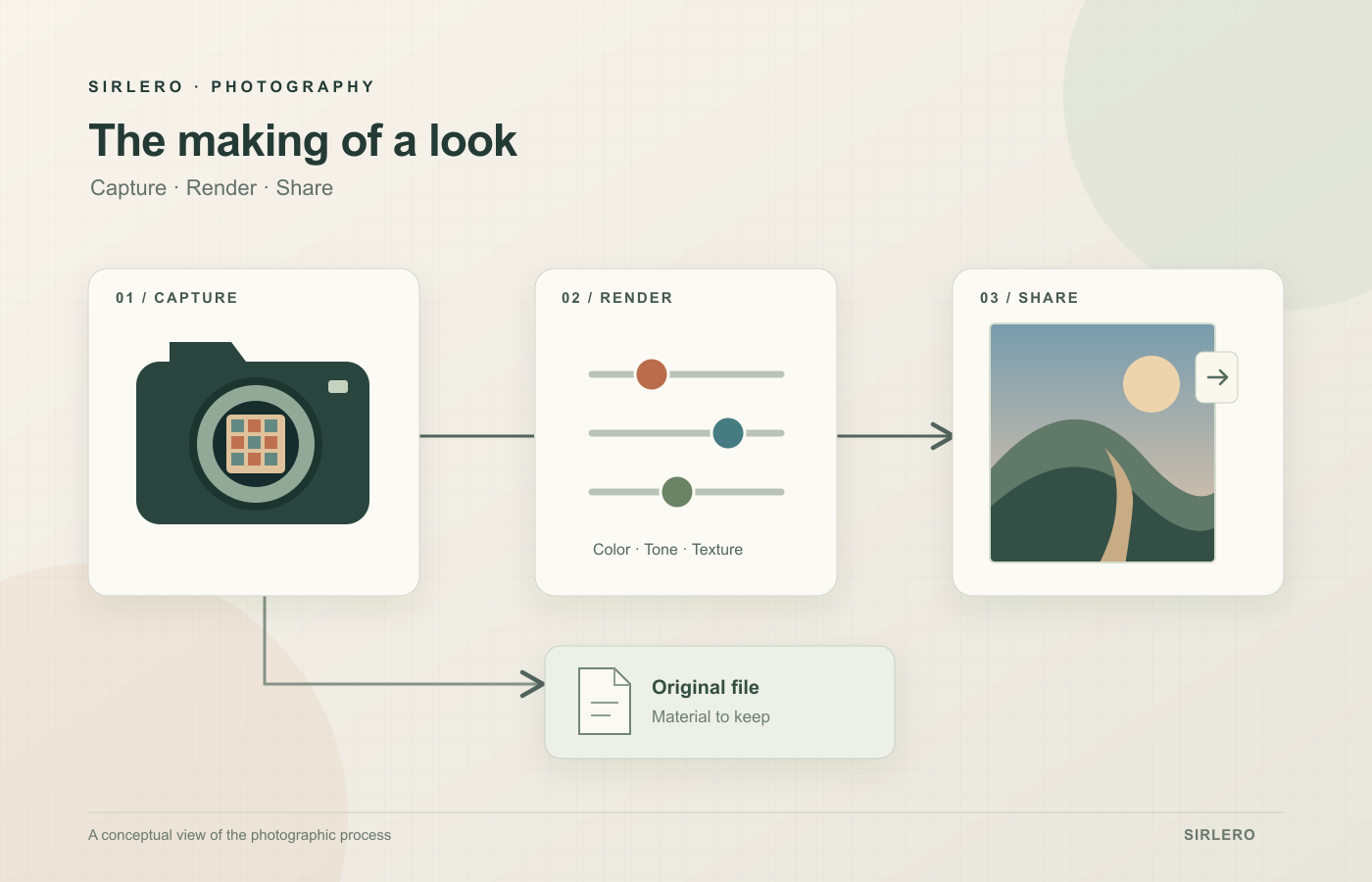
Chromatic Applications says Chromagraph starts with raw sensor data and applies its own color and texture rendering, designed by Yedlin. The developer describes this as replacing the phone’s default look processing. It also says the finished treatment appears in the gallery after capture, with controls for color, tone and texture that stay within the app’s core look.
Apple’s documentation supplies some technical context: RAW formats contain minimally processed sensor data and offer more editing latitude, with larger files than compressed formats. Standard RAW capture also forgoes advanced processing available in the normal capture pipeline. Those are general format tradeoffs, rather than measurements of Chromagraph’s results.
That distinction matters when interpreting the appeal of a signature look. A different rendering offers a different set of aesthetic choices. Whether those choices suit a portrait, a bright window or an evening street is a question about the resulting picture and the photographer’s intention. The names attached to the software cannot settle that preference.
The U.S. App Store lists Chromagraph Camera at $12.99 and requires iOS 17 or later for iPhone. Those are the listing’s purchase and compatibility details checked for this article; they are separate from any judgment about its photographic value.
Keep the capture and the shared picture distinct
The developer says its gallery retains full-quality raw files while applying the look and the user’s adjustments for viewing. It can export smaller images for sharing, including automatic JPEG or HEIC exports to the photo library when that preference is enabled.
For an archive, ask what to preserve and how to retrieve it. In a message to a friend, the rendered picture may be the priority.
Judge the workflow through ordinary photographs
A sensible evaluation would involve your own recurring subjects, the adjustments you actually use and the files you want to keep. Consider how it feels to compose first and inspect the finished treatment afterward. Convenience matters alongside the final appearance when a tool becomes part of a daily routine. Those are suggested evaluation questions; Sirlero has not conducted a hands-on comparison or an image-quality test.
Chromagraph makes an often-hidden creative choice easier to discuss. A phone photograph has a capture stage, a rendering and a destination. Understanding those stages helps a photographer ask for the result they want, while keeping the original material and the shared picture clear in their mind.